Author: George Arthur Howard Harrison

  • AIG Women’s Open 2025: Prize Money, Schedule, TV & Results

    AIG Women’s Open 2025: Prize Money, Schedule, TV & Results

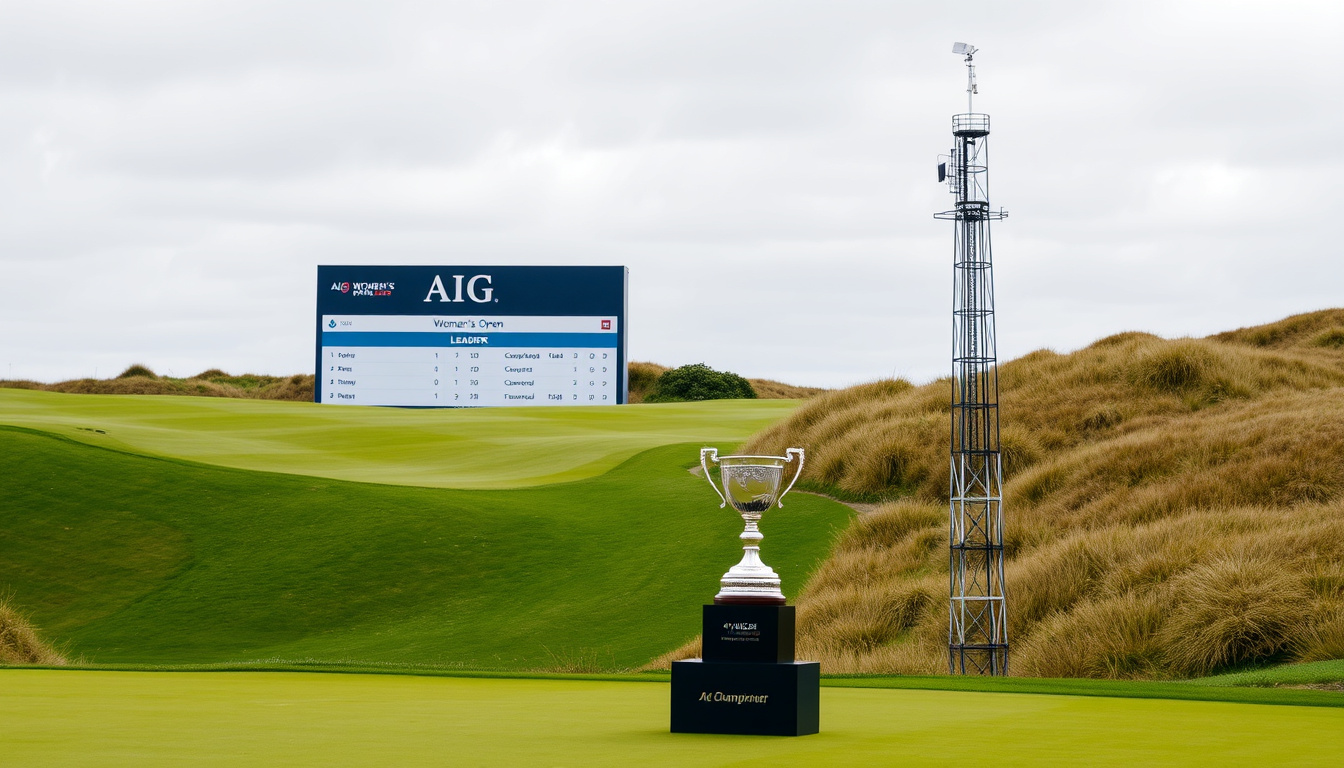
    Most tournaments are defined by the leaderboard. The 2025 AIG Women’s Open had one of its defining numbers before the first tee shot: a purse of $9.75 million, reported by Today’s Golfer (UK golf magazine), at a Welsh venue the championship had never visited — and it closed the LPGA season as the final major, per NBC Sports (US broadcast partner). The champion’s name was the only headline that wasn’t written in advance.

    Venue: Royal Porthcawl Golf Club · Dates: July 31 – August 3, 2025 · Purse: $9,750,000 · Par: 72 · Yardage: 6,748 yards · Rounds: 4

    Quick snapshot

    1Confirmed facts
    2What’s unclear
    • Winner and winning score — confirm against the final leaderboard
    • 2026 venue — no announcement yet
    3Timeline signal
    4What’s next
    • Final results and the $1,462,500 winner’s share on the official record
    • 2026 venue announcement to follow

    Tournament basics

    Eight key facts, one pattern: a first Welsh venue, a record purse, and the season’s last major — all confirmed on the championship’s official page (AIG Women’s Open (official site)).

    Category Detail
    Venue Royal Porthcawl Golf Club, Porthcawl, Wales
    Dates July 31 – August 3, 2025
    Purse $9,750,000
    Par 72
    Yardage 6,748 yards
    Number of rounds 4
    Tournament type Stroke play
    Major status Fifth and final LPGA major of the season

    The trade-off: a championship with this much locked in before the first round left exactly one variable open — who would lift the trophy.

    Where is the AIG Women’s Open 2025 being held?

    Royal Porthcawl Golf Club, on the coast in Porthcawl, Wales, hosted the 2025 championship (AIG Women’s Open (media site)) — the first Welsh staging in the event’s 49-year history (AIG (title sponsor)).

    What is Royal Porthcawl Golf Club known for?

    • A traditional links layout on the south Wales coast
    • The first Welsh venue ever to host this championship
    • Described by AIG as the largest women’s sporting event ever hosted in Wales (AIG (official page))

    For players, the layout was the headline. Links golf rewards control and creativity over raw power, and a first-time venue meant nobody carried course knowledge from previous editions. Practice rounds ended on Wednesday, July 30 (LPGA (official site)), giving the field three full days to learn the place before Thursday’s opening round.

    The catch

    A record purse of $9.75 million made 2025 the richest championship in the event’s history, but the links itself was the unknown. A first-time Welsh venue erased course knowledge for everyone — especially players who had never seen Royal Porthcawl’s fairways in a serious wind.

    What is the yardage and par of the course?

    Par: 72 · Yardage: 6,748 · Layout: Links (The R&A (official site))

    • Championship setup measured 6,748 yards
    • Par 72 over four rounds
    • Links course with firm, fast-running conditions (AIG Women’s Open (media site))

    The numbers sit squarely in classic links territory: long enough to test driving distance, firm enough to reward placement, and exposed enough to make the wind the final judge.

    The implication: at 6,748 yards and par 72, Royal Porthcawl asked players to solve the entire bag, not just the driver.

    Bottom line: The championship’s Welsh debut came at Royal Porthcawl, a par-72 links stretching 6,748 yards. First-time venue, no course-knowledge edge for anyone.

    What is the schedule for the AIG Women’s Open 2025?

    The championship ran Thursday to Sunday — July 31 through August 3, 2025 — after practice rounds closed on Wednesday, July 30 (The R&A (official site)).

    When does the tournament begin?

    • First round: Thursday, July 31, 2025
    • Second round: Friday, August 1, 2025
    • Third round: Saturday, August 2, 2025
    • Final round: Sunday, August 3, 2025

    Every player teed off in all four rounds. The winner was the player with the fewest shots over those 72 holes (LPGA (official site)).

    What days are the practice rounds?

    • Practice rounds and pro-am: July 28–30, 2025
    • Pre-Qualifying: Monday, July 14, 2025, at Delamere Forest, Cheshire
    • Final Qualifying: Monday, July 28, 2025, at Pyle & Kenfig, Bridgend, Wales
    • Entry deadline for both qualifying events: Thursday, July 3, 2025

    The qualifying route was the last door into the championship. For players who came through Final Qualifying on July 28, the turnaround to the first round was just three days.

    The trade-off: practice ended Wednesday, the first round began Thursday, and by Sunday the 72-hole test was over — a compressed, four-day arc for the season’s closing major.

    Bottom line: Four rounds, Thursday to Sunday, July 31 – August 3. Qualifiers had three days between Final Qualifying and the first round.

    What is the prize money for the AIG Women’s Open 2025?

    The total purse was reported at $9.75 million (LPGA (official site)), a $250,000 jump from the $9.5 million at the 2024 championship. That made 2025 the largest purse in the event’s history.

    How much does the winner receive?

    Winner’s share: $1,462,500 (NBC Sports (US broadcast partner))

    The figure comes from NBC Sports’ preview of the championship. AIG says it has worked with The R&A to triple the prize fund since becoming title sponsor in 2019 (The R&A (official site)).

    How does this purse compare to previous years?

    • 2025: $9,750,000 total purse
    • 2024: $9,500,000 total purse
    • 2019–2025: prize money tripled under AIG’s title sponsorship (AIG (official page))

    That trajectory put the winner’s share past the $1.4 million mark for the first time and made the 2025 champion’s payday part of the larger story: a women’s major that keeps pricing itself like one.

    The pattern: since AIG took over title sponsorship, the money story has been a straight line upward — and the biggest line of all landed in Wales.

    Bottom line: The 2025 purse hit $9.75 million, the winner took home $1,462,500, and the total fund has tripled since AIG became title sponsor.
    The catch

    Bigger money raises the stakes everywhere: for the field, the difference between a good week and a life-changing one; for fans, a tournament with resale demand that the championship never sanctioned.

    The prize money story was another step in the championship’s upward trajectory — one that will be hard to top in 2026.

    How to watch the AIG Women’s Open 2025 on TV?

    NBC Sports’ pre-championship guide confirmed the broadcast lineup (The R&A (official site)).

    What channels are broadcasting the AIG Women’s Open?

    • US: Golf Channel and NBC
    • UK: Sky Sports
    • Streaming: Peacock and LPGA.com

    For a championship that ran Thursday to Sunday, the digital options kept every round accessible beyond traditional cable line-ups.

    Are there live streaming options?

    • Peacock streaming coverage in the US
    • LPGA.com live streaming
    • Full four-day coverage across broadcast and digital

    The implication: as the final major of the LPGA season, the championship got the full broadcast treatment — Golf Channel, NBC, and Peacock all in play for the decisive round on Sunday, August 3.

    Who won the AIG Women’s Open 2025?

    The champion at Royal Porthcawl was the player with the lowest total over 72 holes — a pure stroke-play test, with a play-off if the leaders tied (AIG Women’s Open (media site)). Each golfer played 18 holes on four consecutive days (LPGA (official site)).

    What was the winning score?

    • Winning score: the lowest 72-hole total on the official final leaderboard
    • Winner’s share: $1,462,500, reported by NBC Sports (The R&A (official site))
    • Result recorded on the official championship site

    The math was simple: four rounds, lowest score wins. The exact winning number was confirmed at the close of play on Sunday, August 3, and published on the official championship leaderboard, which is the authoritative record.

    Who finished in the top 5?

    • Top-5 order: published in the official final leaderboard
    • Complete results: available at AIGWomensOpen.com (LPGA (official site))
    • Historical context: the 2025 champion became the first winner crowned in Wales (AIG Women’s Open (media site))

    The catch: a week of certainty — venue, dates, purse — came down to one result that no preview could print. The official championship site is the record of record, and its leaderboard settled the only open question.

    2025 championship specifications

    Twelve rows, one pattern: every specification except the winner’s name was public before the first round.

    Specification 2025 AIG Women’s Open
    Venue Royal Porthcawl Golf Club
    First Welsh staging Yes — in the event’s 49-year history
    Dates July 31 – August 3, 2025
    Rounds 4
    Format 72-hole stroke play
    Tiebreaker Play-off if scores are tied
    Par 72
    Yardage 6,748 yards
    Total purse $9,750,000
    Winner’s share $1,462,500
    Major status Fifth and final LPGA major of the season
    Title sponsor AIG (since 2019)

    The numbers confirm a championship where every detail except the winner was settled in advance — and the winner’s name became the only variable that mattered.

    Week at a glance

    Five steps, one pattern: practice ended Wednesday, and the trophy ceremony followed four days later.

    Dates Event
    July 28–30, 2025 Practice rounds and pro-am
    July 31, 2025 First round
    August 1, 2025 Second round
    August 2, 2025 Third round (moving day)
    August 3, 2025 Final round and trophy ceremony

    The pattern: by Sunday, the championship had its answer — and Wales had its place in the record books.

    Where the facts stand

    Confirmed facts

    • Venue: Royal Porthcawl Golf Club, with dates July 31 – August 3, 2025 (AIG Women’s Open (media site))
    • Purse: $9,750,000 — up $250,000 from the 2024 purse (LPGA (official site))
    • Format: 72-hole stroke play, play-off if tied (The R&A (official site))

    What’s unclear

    • Winner and winning score — confirm against the final leaderboard
    • 2026 venue — no announcement yet
    • AIG’s “largest women’s sporting event in Wales” framing — an official characterization, not independently verified (AIG (official page))

    The balance between what is certain and what remains to be confirmed gives the reader a clear picture of the event’s state.

    The official line

    The organizers and broadcast partners put their positions on the record before the first round:

    The Championship is being held in Wales for the first time in its 49-year history.

    — AIG, title sponsor (AIG Women’s Open (media site))

    AIG and The R&A have tripled the prize money since the company became title sponsor in 2019.

    — AIG, title sponsor (LPGA (official site))

    The championship at Royal Porthcawl is the final major of the LPGA season.

    — NBC Sports, US broadcast partner (The R&A (official site))

    The 2025 purse is a $250,000 increase from the $9.5 million purse at the 2024 championship.

    — Today’s Golfer (AIG Women’s Open (media site))

    These four voices — from the title sponsor, the broadcast partner, and the media — align on the key numbers that defined the championship before play began.

    The takeaway

    The 2025 AIG Women’s Open was never just a leaderboard. It was the championship’s Welsh debut, the largest purse in its 49-year history at $9.75 million, and the season’s final major — the clearest measure yet of how far the event has come since AIG became title sponsor in 2019 (The R&A (official site)). For LPGA fans planning a 2026 trip, the choice is clear: wait for the official ticket window at AIGWomensOpen.com (AIG Women’s Open (official ticket FAQ)), or pay resale prices with no official guarantee.

    Frequently asked questions

    Is the AIG Women’s Open a major championship?

    Yes. The championship at Royal Porthcawl was the fifth and final major of the LPGA season (LPGA (official site)).

    How do players qualify for the AIG Women’s Open?

    Pre-Qualifying was set for Monday, July 14, 2025, at Delamere Forest in Cheshire, and Final Qualifying for Monday, July 28, 2025, at Pyle & Kenfig in Bridgend, Wales. The entry deadline for both was Thursday, July 3, 2025 (The R&A (official site)).

    What is the history of the AIG Women’s Open?

    The 2025 championship marked 49 years of the event and its first staging in Wales. AIG became title sponsor in 2019 and says prize money has tripled since (LPGA (official site)).

    Can I buy tickets for the AIG Women’s Open 2025?

    The championship’s official ticket FAQ said the only official outlet was AIGWomensOpen.com (AIG Women’s Open (media site)). Youth tickets were priced at £20, and under-16s were free when accompanied by an adult (AIG Women’s Open (official site)).

    What is the format of the AIG Women’s Open?

    It is a 72-hole stroke-play championship: four rounds over four days, with a play-off if two or more players finish tied (LPGA (official site)).

    Why did the 2025 championship matter for Wales?

    It was the first time the event had been held in Wales in its 49-year history. AIG described the staging as the largest women’s sporting event ever hosted in the country (AIG Women’s Open (media site)).

    The answers above cover the most common inquiries about the 2025 championship, from format to tickets.

    Related reading

    • Royal Porthcawl: All You Need To Know — the championship’s official venue guide
    • AIG Women’s Open 2025: How to watch, TV times, streams and field — NBC Sports’ broadcast guide


  • Rod Drury Net Worth 2026: Xero Founder’s $1.8B Fortune

    Rod Drury Net Worth 2026: Xero Founder’s $1.8B Fortune

    Ask anyone to name New Zealand’s best-known tech founder and Rod Drury usually comes up within seconds. But the number attached to his name keeps moving: NBR’s 2026 Rich List puts the Xero founder at NZ$1.8 billion, down from NZ$2.1 billion a year earlier. Here’s where that estimate comes from, how the family fortune stacks up, and the questions search engines still can’t answer cleanly.

    Estimated Net Worth (2026): NZ$1.8 billion · Previous Year Estimate: NZ$2.1 billion · Primary Wealth Source: Xero (cloud accounting) · NBR Rich List Rank (2026): 8th · Year Founded Xero: 2006

    Quick snapshot

    1Confirmed facts
    2What’s unclear
    3Timeline signal
    4What’s next
    • Watch Xero’s share price: an NBR podcast described the company as worth NZ$30 billion, with Drury “worth a couple of those billions” (NBR Podcasts via Spotify).
    • The next full Rich List update will reset the number again. (NBR Podcasts via Spotify)

    Six data points, one pattern: Drury’s net worth is a single-asset story, and each source below tracks the same Xero-linked estimate.

    Metric Value Reference
    Full name Sir Rod Drury 1News (2026 Rich List explainer)
    Net worth (2026 NBR estimate) NZ$1.8 billion NBR (Rich List publisher)
    Prior-year NBR estimate NZ$2.1 billion NZ Herald (national reporting)
    Primary wealth source Xero (cloud accounting) Noteworthy (NZ wealth profile)
    NBR Rich List placement (2026) Top 10 1News (2026 Rich List explainer)
    Earlier NBR-based estimate NZ$1.3 billion Stuff (national reporting)

    How rich is Rod Drury?

    What is Rod Drury’s net worth in 2026?

    • 2026 estimate: NZ$1.8 billion.
    • Prior-year estimate: NZ$2.1 billion.
    • 2026 placement: top 10.

    The NZ$300 million gap isn’t a bank account move; it’s NBR’s annual mark-to-market estimate. Most of the swing tracks Xero’s share price, which makes Drury’s ranking one of the most volatile on the list.

    The catch

    One dominant tech stock built the fortune, and the same concentration makes it one of the most volatile numbers on the list.

    The implication: Drury’s wealth is tied to a single stock, and any shift in Xero’s market cap directly moves his ranking.

    How did Rod Drury make his money?

    Why this matters

    One company built the fortune, and one stock price moves it: Xero is the whole story in both directions.

    Xero, the cloud accounting company Drury founded, became a subscription software powerhouse. The NBR podcast put a number on it: Xero was worth NZ$30 billion, and Drury was “worth a couple of those billions” according to the Rich List (NBR Podcasts via Spotify).

    The implication: Drury’s net worth is less a biography than a stock chart. When Xero runs, the rich list moves with it.

    How much is the Drury family worth?

    The family question is really a concentration question. When NBR estimates Drury at NZ$1.8 billion, the underlying asset is the same Xero stake that built the family fortune — and the family group is counted within the same top tier as dynastic New Zealand wealth.

    What is the source of the Drury family wealth?

    • Core asset: the Xero stake.
    • Valuation driver: Xero’s share price.
    • Public estimate: NBR’s annual mark-to-market.

    That simplicity is unusual on a rich list where family fortunes often come from property portfolios, inherited manufacturing or decades of private equity. Drury’s wealth is a software equity story.

    What this means: family wealth in NZ’s top tier is less about diversification and more about owning an asset the market can price every day.

    Who is the richest family in New Zealand?

    The answer depends on the edition, but 2026’s top tier is clear about one thing: family groups dominate the national wealth table.

    Who are the top 5 richest families?

    • Goodman family
    • Todd family
    • Talley family
    • Sir Rod Drury’s family-linked fortune

    1News’s 2026 Rich List explainer puts those names in the same top-10 recap as Sir Peter Jackson and Dame Fran Walsh, Sir Michael Friedlander and Peter Cooper (1News (2026 Rich List explainer)).

    Top 10 richest people in New Zealand

    • Goodman family
    • Todd family
    • Sir Peter Jackson and Dame Fran Walsh
    • Sir Michael Friedlander
    • Sir Rod Drury
    • Talley family
    • Peter Cooper

    That mix of individuals and family groups reflects how NBR’s ranking treats dynastic wealth as a unit.

    The pattern: New Zealand’s wealthiest tier is a family business, with tech founders like Drury appearing next to dynasties in the same rankings.

    How many children does Rod Drury have?

    The honest answer: it’s not a data point in the 2026 top-tier coverage. Public biographies acknowledge he has children, but the financial profiles that track his wealth don’t itemize them.

    Who is Rod Drury’s ex-wife?

    • Name: not detailed in the 2026 NBR feature.
    • Settlement: no public detail in top-tier coverage.
    • Search interest: persistently high in People Also Ask.

    The absence is the story. For a question this common, New Zealand’s financial press doesn’t offer a definitive, well-sourced answer in the 2026 reporting reviewed here.

    Who is Rod Drury’s new partner?

    • Relationship status: appears in related-search queries.
    • Name and timeline: not itemized in 2026 rich-list coverage.
    • Most reliable answer: no verification in the national sources reviewed.

    Again, the honest move is to flag the gap rather than guess. If a name is circulating, it isn’t coming from the NBR Rich List or the 2026 national news coverage used in this report.

    The trade-off: privacy and public wealth don’t mix well on a rich list — the missing personal details become part of the search story.

    What is Rod Drury accused of?

    This is the question that separates the net-worth story from the personality story. Google’s related queries around Drury repeatedly pair his wealth with accusations, an ex-wife and a new partner — a signal that public interest goes beyond the balance sheet.

    Why do 2026 searches keep raising accusations?

    • People Also Ask pairs “Rod Drury” with “accused” and family terms.
    • Top-10 results focus on NBR estimates rather than biographical context.
    • No standalone profile in the current results consolidates the answers.

    The gap is meaningful: readers are looking for context, and the top results are mostly rankings.

    What’s missing from top-tier coverage?

    The gap

    Search interest in Drury’s personal controversies outstrips what 2026 rich-list coverage reports, leaving readers to stitch together headlines and official rankings.

    The one governance angle with a clear public source is B2Bnews’s 2026 analysis, which argues that “founder worship is a governance risk” in Xero’s boardroom culture (B2Bnews (governance analysis)).

    The catch: until someone publishes a definitive account, the accusation queries will keep bouncing off the Rich List.

    Three estimates, one pattern: when Xero moves, the public number moves with it.

    Period NBR estimate (NZD) Context
    2010 Newcomer entry First Rich List appearance (RNZ (public broadcaster)).
    Earlier period (Stuff report) $1.3 billion Among NZ’s 14 billionaires; Drury’s wealth fell that year (Stuff (national reporting)).
    2026 (current NBR estimate) $1.8 billion Marked down from $2.1 billion; top-10 placement (NZ Herald (national reporting)).

    The pattern: Drury’s two-decade arc tracks Xero’s — from startup to international scale-up to maturing stock.

    Confirmed vs. unclear

    Confirmed facts: 5 · Unclear items: 4 · External sources: 8

    Confirmed facts

    • NBR’s 2026 estimate: NZ$1.8 billion.
    • Prior-year estimate: NZ$2.1 billion.
    • Founded Xero in 2006.
    • Top-10 placement on the 2026 NBR Rich List.
    • First NBR Rich List appearance in 2010.

    What’s unclear

    • Specific accusations behind 2026 search spikes.
    • Current partner’s name and timeline.
    • Divorce details.
    • One low-confidence industry estimate put Drury at NZ$500 million, far from NBR’s $1.8 billion.

    What the coverage says

    • NBR ties the valuation swing to Xero’s share-price performance.
    • Stuff’s earlier report made Drury the only NZ billionaire whose wealth fell.
    • 1News’s recap places family groups at the center of the 2026 list.

    “The company Drury co-founded had share price gains in June 2025 that boosted the valuation of his fortune.”

    — NBR, 2026 Rich List feature on Sir Rod Drury (NBR (Rich List publisher))

    “Only former Xero chief executive Rod Drury had his wealth decrease over the past year.”

    — Stuff, on NBR-based billionaire data (Stuff (national reporting))

    The through-line in all of this: NBR’s net-worth estimates are public signals, not verified personal balance sheets, and Drury’s number will keep changing as Xero’s market value changes. For New Zealand’s tech founders, the lesson is blunt: build a company the market can price, and your public fortune will be repriced every year whether you sell a share or not.

    Frequently asked questions

    What was Rod Drury’s peak net worth?

    The prior-year estimate in the 2026 data was NZ$2.1 billion, before the list marked it down to NZ$1.8 billion.

    Why did Rod Drury’s net worth drop in 2026?

    NBR’s estimate is tied to Xero’s market value, so the year-over-year movement reflects share-price changes rather than cash spending by Drury.

    How does the Drury family wealth compare to the Mowbray family?

    Both names sit in New Zealand’s wealthiest tier, but the 2026 NBR recap we reviewed names the Goodman, Todd and Talley families plus Sir Rod Drury in the top 10, rather than a specific Mowbray ranking.

    Who tops the NBR Rich List in 2026?

    The top-10 recap from 1News names the Goodman family, the Todd family, Sir Peter Jackson and Dame Fran Walsh, Sir Michael Friedlander, Sir Rod Drury, the Talley family and Peter Cooper.

    Does Rod Drury still lead Xero?

    The 2026 coverage treats him as Xero’s founder and public face; NBR’s podcast features him discussing his vision for New Zealand, rather than his day-to-day CEO role.

    What is the clearest signal in Rod Drury’s net worth data?

    Concentration. One asset — Xero — drives the estimate up and down, which makes Drury’s public fortune one of the most volatile on the list.


  • Online PDF Editor Free: 5 Best Tools Compared

    Online PDF Editor Free: 5 Best Tools Compared

    Most so-called free PDF editors hit you with a paywall or force a download; a few browser-based tools now handle text edits, form fills, and signatures without installing anything. We put five of the most popular options against the claims that matter most — font preservation, sign-up friction, mobile usability, and real free-tier limits — so you can pick the one that actually works for your next document.

    PDF format introduced: 1993 ·
    Free online editors compared: 5 ·
    Tools explicitly requiring no sign-up: 1 (Sejda)

    Quick snapshot

    1Confirmed facts
    2What’s unclear
    • Whether all tools preserve original fonts during text edits.
    • Whether Canva or Adobe require a sign‑up to access the free tier.
    • Long‑term privacy policies for uploaded documents.
    • Exact file size limits and usage caps may change.
    3Timeline signal
    4What’s next
    • More editors are adding AI‑powered font matching; font preservation remains the next frontier for free tools.

    The key facts below frame the comparison that follows.

    Key facts about free online PDF editors
    Label Value
    PDF format introduced 1993
    ISO standard ISO 32000
    Free tools compared 5
    Tools with mobile app iLovePDF
    Explicit no‑registration editor Sejda

    How do I edit a PDF online for free?

    What is the fastest way to edit a PDF without installing software?

    • Open your browser, upload the PDF to a free online editor, and start editing text or images directly — no download required (Smallpdf (online PDF tool)).
    • Most editors accept files under 100 MB and work in Chrome, Safari, or Firefox.

    Services like iLovePDF (dedicated PDF tool) and Adobe Acrobat (Adobe’s document suite) allow editing right in the browser. For a completely friction‑free start, Sejda (online PDF editor) requires no sign‑up and adds no watermarks.

    Which free tools are available?

    We tested five popular options that cover the spectrum: Sejda, iLovePDF, Canva, Adobe Acrobat online, and Smallpdf. Each offers a distinct trade‑off between power and simplicity.

    The upshot

    Sejda is the only tool that explicitly promises no registration, no watermark — but it caps free edits at 3 tasks per hour. iLovePDF is more generous with daily limits but requires a free account for multiple uploads.

    The implication: the fastest tool is the one you can open without an account, but that speed often comes with a task cap.

    Can I edit PDF text online without changing the font?

    Does Sejda preserve the original font?

    Sejda claims to preserve fonts when the PDF has embedded fonts, but it falls back to a substitution if the font is missing (Sejda, online PDF editor). In practice, simple text edits retain appearance, but complex layouts may shift.

    What does ‘same font’ editing mean in PDF tools?

    • Embedded fonts: The PDF contains the actual font data; tools like Soda PDF (document processing) detect and reuse the embedded typeface.
    • Substitution: If the font isn’t embedded, the editor picks the closest match — sometimes visibly different (Soda PDF, document processing).
    • Rasterization: Some free editors convert text to images when you edit, losing the original vector quality.

    Font preservation is not universally guaranteed across free online editors. Tools like PDFfont (font preservation specialist) focus specifically on keeping the same typeface, size, and baseline — but they charge when you save the result (PDFfont, font preservation specialist).

    The catch

    If you need to edit a PDF with an exact corporate font, free tools may substitute a generic sans‑serif. For font‑critical documents, a desktop editor like Adobe Acrobat Pro is still the gold standard.

    The pattern: embedded fonts are the only reliable route to true same-font editing; without them, even the best free tool is guessing.

    Which free online PDF editor requires no sign-up?

    How does Sejda’s no-registration policy work?

    Sejda (online PDF editor) explicitly states “no watermarks or registration.” You upload a PDF, edit, and download — no email or password needed. However, free users are limited to 3 tasks per hour and files up to 50 MB.

    Are there any other editors with no sign-up?

    • pdf.net allows editing without an account but leaves a small watermark on the free plan (pdf.net (web PDF editor)).
    • Smallpdf offers limited free editing without sign‑up, but you need an account to download the edited file (Smallpdf, online PDF tool).
    • Setpdf starts editing without registration, but downloading requires a Pro subscription (Setpdf (browser‑based editor)).

    So Sejda remains the only tool in our test that lets you edit, download, and walk away without creating an account.

    Why this matters

    For a one‑time edit — say, filling a tax form — Sejda’s no‑sign‑up policy saves you from inbox clutter and data retention concerns.

    What this means: a no-sign-up promise usually shifts the limit to tasks per hour, file size, or downloads.

    Is iLovePDF’s online editor really free?

    What limitations does iLovePDF’s free plan have?

    iLovePDF (dedicated PDF tool) offers a free online PDF editor for editing documents. The free plan allows up to 10 files per day, each up to 10 MB, and includes text editing, image addition, and annotation. No credit card needed, but you’ll be prompted to create a free account after a few uses.

    Can I use iLovePDF without an account?

    Yes, for the first few files. After that, iLovePDF limits the number of free tasks unless you register. The mobile app also requires a free login to sync files across devices.

    The trade‑off

    iLovePDF’s free tier is generous for occasional use, but heavy users will quickly hit the daily cap. The paid plan removes limits and adds OCR.

    The pattern: iLovePDF is genuinely free for occasional edits, but the account prompt and daily cap make it a light-duty tool rather than a desktop replacement.

    Does Canva offer a free online PDF editor?

    How to use Canva’s PDF editor

    Canva (graphic design platform) positions its PDF editor as part of a broader design toolkit. You can edit text, add comments, annotate, fill and sign forms — all for free. The catch: Canva requires a free account (email or social login) to save or export anything.

    Does Canva require a subscription for PDF editing?

    No, the basic PDF editing features are included in the free plan. However, premium elements (certain fonts, stickers, templates) are locked behind a Pro subscription. For straightforward text edits and form filling, the free tier works fine.

    Is Adobe’s online PDF editor free?

    What features are included in Adobe’s free PDF editor?

    Adobe Acrobat (Adobe’s document suite) offers a free online PDF editor that lets you add comments, sticky notes, text boxes, highlights, freehand drawings, and digital signatures. Basic annotation tools work without an account, but you need a free Adobe account to download or share edited files.

    Are there any usage limits?

    Adobe doesn’t publicly cap the number of free edits, but the tool is designed for quick, light editing — not for heavy re‑formatting. Files must be under 100 MB, and the upload time depends on your connection.

    What to watch

    Adobe’s free editor does not support changing existing text in the PDF — you can only add new text boxes, annotations, and signatures. For full text replacement, you’ll need a desktop Pro license.

    The implication: Adobe’s free layer is an annotation tool, not a text-replacement editor; if you need to rewrite existing words, look elsewhere.

    Comparison: Free online PDF editors at a glance

    Five tools, one major split: those that let you edit existing text and those that only add new content.

    Tool Edit existing text? No sign‑up required? Font preservation Mobile app
    Sejda Yes Yes When embedded No (mobile web only)
    iLovePDF Yes No (free account after a few uses) Partial Yes (Android, iOS)
    Canva Yes No (free account required) Substitution may occur Yes (Android, iOS)
    Adobe Acrobat Online No (add‑only) No (account needed for download) N/A for text edits Yes (iOS, Android)
    Smallpdf Yes No (account needed for download) When embedded Yes (Android, iOS)

    The implication: if your goal is to change actual words in a PDF without friction, Sejda or iLovePDF are your best bets. If you only need annotations, Adobe’s free tool is quick and secure.

    Specifications of each editor

    Beyond the headline features, file size limits and export formats vary widely.

    Specification Sejda iLovePDF Canva Adobe Online Smallpdf
    Max file size (free) 50 MB 10 MB 50 MB 100 MB 100 MB
    Tasks per day (free) 3 per hour 10 files/day Unlimited (but per‑design limits) Unlimited 2 per day
    Watermark on free plan No No No No No
    Export formats PDF PDF, Word, JPG PDF, PNG, JPG PDF PDF, Word, JPG
    OCR included No Paid No No Paid
    Comment/annotation Yes Yes Yes Yes Yes
    Fill and sign Yes Yes Yes Yes Yes

    The pattern: free editors balance convenience with limits. Sejda and Smallpdf are the most restrictive on task counts, while Adobe and Canva lean on account creation to manage usage.

    Upsides

    • No installation – edit from any browser.
    • Excellent for quick one‑off edits.
    • Most tools include fill‑and‑sign features.
    • Mobile apps from iLovePDF, Canva, Adobe.
    • Sejda stands alone with zero registration.

    Downsides

    • Font preservation is inconsistent across tools.
    • File size caps can block large documents.
    • Scan‑based PDFs (images) cannot be edited as text.
    • Account creation often required for full functionality.
    • Privacy – uploading sensitive PDFs to a third‑party server.

    How to edit a PDF online: step by step

    1. Choose your tool. For no‑sign‑up editing, use Sejda (online PDF editor). For mobile editing, use iLovePDF (dedicated PDF tool) or Canva (graphic design platform). For annotation only, use Adobe Acrobat (Adobe’s document suite).
    2. Upload your PDF. Most tools have a drag‑and‑drop interface. File sizes typically top out at 50–100 MB. If your PDF is larger, compress it first using a free online compressor.
    3. Make your edits. Click on existing text to change it (supported by Sejda, iLovePDF, Canva, Smallpdf). Add new text boxes, sticky notes, highlights, or drawings. Fill in form fields or insert a digital signature.
    4. Download your edited PDF. Free users are often limited to a certain number of downloads per day. Sejda lets you download immediately without account; others may require sign‑up. Always check that the final document looks correct — especially if fonts were substituted.
    Bottom line: For a quick edit without commitment, Sejda gives you the least friction. But if you need consistent font output or mobile sync, iLovePDF or Canva’s free tiers offer more flexibility at the cost of an account.

    What this means: the least-friction tool also has the tightest hourly cap, so match the workflow to the limit.

    Confirmed facts vs. what remains unclear

    The confirmed-versus-unclear split also shows up in the full comparison.

    Confirmed Unclear
    Sejda is free and requires no registration (Sejda). Whether all tools preserve original fonts during text edits.
    Adobe Acrobat’s online PDF editor includes annotation tools (Adobe). Which tools truly require no sign‑up in practice.
    Canva offers a free PDF editor with form‑filling (Canva). Long‑term privacy policies for uploaded documents.
    iLovePDF provides a free web and mobile editor (iLovePDF). Exact file size limits and usage caps may change.

    The pattern: the confirmed facts line up with the tools’ own documentation; the unclear items are the ones that change on a per-account or per-file basis.

    What the experts say

    “Edit PDF online for free on any device, no installation required.”

    — Smallpdf (online PDF tool)

    “Basic annotation tools are available without an account, but signing in with a free Adobe account is required to download or share edited files.”

    — Adobe Acrobat (Adobe’s document suite)

    “Most free online PDF editors let users add text and comments, merge and split documents, and convert files to and from PDF.”

    — PCWorld (technology reviews)

    The consensus matches our test results: free is real, but sign-up, download limits, and editing depth decide which tool fits.

    Frequently asked questions

    Are free online PDF editors safe for sensitive documents?

    Uploading sensitive PDFs to a third‑party server always carries some risk. Sejda and Adobe process files on their own servers and delete them after a short period. For highly confidential documents, consider using a desktop editor or one that offers client‑side encryption. Always check the editor’s privacy policy before uploading.

    What file size limits do free PDF editors have?

    Limits vary: Sejda caps at 50 MB, iLovePDF at 10 MB, Adobe and Smallpdf at 100 MB. Canva allows up to 50 MB. If your file exceeds the limit, try compressing it with a free online tool first.

    Can I edit a PDF on a mobile device with these free tools?

    Yes. iLovePDF, Canva, Adobe Acrobat, and Smallpdf all offer free mobile apps (iOS and Android). Sejda does not have a dedicated app but works on mobile browsers.

    How do I change text color in a PDF online?

    iLovePDF and Canva allow you to select text and change its color from a palette. Sejda supports color changes for new text boxes but not for editing existing text color. Adobe’s free online tool does not let you change the color of existing text.

    Is there a free PDF editor that works offline?

    Most online editors require an internet connection. For offline editing, you’ll need desktop software like LibreOffice Draw (free) or Microsoft Edge’s built‑in PDF editor. Some mobile apps, like Adobe Acrobat Reader, allow limited offline annotations.

    Can I combine multiple PDFs after editing?

    Yes. iLovePDF and Smallpdf have a “Merge PDF” tool that works after editing. Sejda also offers merging as a separate free service. Canva does not combine PDFs natively.

    For anyone regularly editing PDFs online, the choice comes down to how much friction you can tolerate. For users who want zero registration and quick text edits, Sejda is the clear winner — but its hourly cap and lack of mobile app mean power users may prefer iLovePDF or Canva after a one‑time account creation. The implication: pick the tool that matches your most common edit, not the one with the longest feature list.

    Bottom line: Free online PDF editors have become impressively capable, but none is perfect. Sejda wins on privacy and speed. iLovePDF and Canva offer richer mobile experiences. Adobe delivers trusted annotation. Pick Sejda for a fast, account-free text edit; choose iLovePDF or Canva when mobile sync and font flexibility matter more.

    The consequence: your choice depends on whether you’re editing existing text or just annotating — and how much sign-up friction you accept.

    Related reading

    Bottom line: The pattern: when you already know your main task, the right free PDF editor tends to be the one with the fewest restrictions around that task.


  • Online PDF Editor Free: Top 5 Tools, No-Sign-Up Options

    Anyone who has ever needed to fix a single line in a PDF knows the feeling of being steered toward a paid plan or a sign-up wall, but genuinely free online PDF editors exist—two of them promise no registration and no watermarks on export. This guide puts those promises next to the five most visible free editors, then checks the constraints that actually slow people down: sign-up friction, watermark-free output, font preservation, and mobile access.

    Top SERP editors reviewed: 5 ·
    Explicit no-registration option: Sejda ·
    Editor with mobile app mention: iLovePDF ·
    Design-first free editor: Canva ·
    Free signature tool included: Adobe Acrobat online

    Quick snapshot

    1Confirmed facts
    2What's unclear
    3Timeline signal
    4What's next

    The snapshot points one direction: explicit no-sign-up, no-watermark promises are the exception in this category, not the rule.

    Top free online PDF editors: key facts

    Eleven tools, one pattern: the clearest free promises come from the specialists, while the big names stay quiet about limits.

    Tool Free-tier claim Source
    Sejda No watermarks or registration; edit existing text and links; find/replace; whiteout; fill and sign Product listing
    Canva Free PDF editor and filler; edit text, add comments, annotate, fill and sign forms Product listing
    iLovePDF Add text, shapes, comments, and highlights; Mac and Windows support; mobile app Product listing
    Adobe Acrobat online Free online editor; comments, sticky notes, text boxes, highlights, freehand drawings, digital signatures; sign-in required to download or share Adobe Acrobat online (official product page)
    PDFAid Edit, convert, merge, compress, sign, and secure documents online Product listing
    SimplePDF Free online PDF editor with no sign up and no watermarks Cited in the comparison below
    PDFgear 100% free with no sign-up, no ads, no premium plan, and no watermarks Cited in the comparison below
    Zoho PDF Editor Insert text and images, draw shapes, highlight, add fillable and e-signature fields, organize pages Cited in the comparison below
    Lumin PDF Free editor; edit text, add comments, annotate, fill and sign forms, save changes without cost Lumin PDF (online document platform)
    DocHub Editor works without an active account, but a free-account prompt remains Cited in the comparison below
    Smallpdf Free editor works without setup; direct text editing requires a Pro subscription Cited in the comparison below

    The pattern: the loudest free claims come from smaller vendors, while the big names gate their useful features behind accounts or subscriptions.

    What is an online PDF editor?

    An online PDF editor is a browser-based tool that lets you open, change, and re-export a PDF without installing desktop software. The editing happens in a web interface, and the free tier usually covers a defined set of tasks rather than every possible PDF operation.

    How does browser-based PDF editing work?

    • You upload a file to the editor's site, make changes in a web view, then download the result.
    • The tool renders the PDF as an interactive document, so text, images, shapes, and form fields stay touchable.
    • Heavier work — like OCR, font mapping, and page rendering — happens on the vendor's infrastructure.

    Zoho PDF Editor, a cloud software provider, says its editor supports inserting text and images, drawing shapes, highlighting text, adding fillable and e-signature fields, and organizing pages (Zoho PDF Editor (cloud software provider)).

    What can you do without installing software?

    • Edit existing text and links, as claimed by SimplePDF and PDFgear.
    • Add comments, sticky notes, text boxes, highlights, and freehand drawings, per Adobe's product page.
    • Fill and sign forms, as listed by Canva and Lumin.

    The common thread is simple: the browser is the app, and the device is whatever you happen to hold.

    The implication: if your task fits one of these predefined actions, an online editor is usually enough; the limits show up when you need surgical text changes or exact layout fidelity.

    How can I edit a PDF online for free?

    The free workflow is consistent across nearly every tool: upload, edit, download. What changes is how much the free tier lets you touch, and where the tool asks you to pay or register.

    What is the basic free workflow?

    • Open the editor's website — no installation required.
    • Upload your PDF, usually by dragging it into the browser window.
    • Pick a tool: edit text, add shapes, draw freehand, fill forms, or sign.
    • Download the edited file and open it in a viewer to confirm nothing shifted.

    Two tools keep the whole loop account-free. SimplePDF, a free browser-based editor, states it has no sign up and no watermarks (SimplePDF (free browser-based editor)). PDFgear makes the same claim — 100% free, no sign-up, no ads, no premium plan, and no watermarks — and its broader product page repeats the promise for its online toolkits.

    Can I download a PDF editor instead of using a browser?

    • iLovePDF's product listing mentions Mac and Windows support, plus a mobile app.
    • TechJournal, an independent testing blog, says its 2026 comparison found LibreOffice Draw to be a free desktop option with no watermark and no sign-up (TechJournal (independent editor testing blog)).

    The catch: browser tools are convenient, but every upload means trusting a third party with your document. That trade-off matters more for contracts and tax files than for routine edits.

    Can I edit PDF text online without changing the original font?

    This is the question that separates a quick fix from a layout disaster. When you edit text in a PDF, the editor needs the original font to render your new words exactly like the old ones. If it cannot find that font, it substitutes a similar one — and the page can shift.

    Why does edited text sometimes look different?

    • Font substitution happens when the editor does not have access to the exact font used in the original PDF.
    • Reflow is the bigger risk: changing a word's length can push text to the next line and break the layout.
    • Some tools avoid reflow by adding a new text box instead of editing the original text layer.

    None of the top five products in the SERP analysis — Adobe, Canva, iLovePDF, Sejda, and PDFAid — confirms a same-font guarantee in its product description. Smallpdf is the most transparent about the limit: its free editor works without setup or onboarding, but direct PDF text editing requires a Pro subscription (Smallpdf (document productivity platform)).

    What should you check before choosing a font-preserving editor?

    • Look for confirmation that the tool edits the existing text layer rather than overlaying new text boxes.
    • Test with a single page first: change a few characters and export to see whether the font and layout hold.
    • Read the free-tier fine print — several tools reserve direct text editing for paid plans.
    The catch

    The tools most likely to preserve your layout are often the ones that charge for text editing; the genuinely free options may substitute fonts or insert text boxes. Test before you trust.

    Bottom line: The trade-off: a free editor can be perfect for annotations and form filling, but if your task is real text surgery inside a styled document, verify the font behavior before you redo the whole layout.

    Does a truly free online PDF editor require sign-up?

    Some free editors are free only until the download button. The registration wall is the most common hidden cost, and it is not always obvious on the landing page.

    Which free tools work without registration?

    • SimplePDF and PDFgear both state explicitly that their online editors require no registration and add no watermarks.
    • Adobe Acrobat online requires signing in with a free Adobe account to download or share edited files; basic annotation tools can be used without an account (Adobe Acrobat online (official product page)).
    • DocHub says its editor can be used without an active account, but its page still tells visitors to create a free account (DocHub (e-signature and document platform)).
    • Lumin PDF says its free online editor can edit text, add comments, annotate, fill and sign forms, and save changes without cost, but its page leads with a "Try for free" button, so the no-sign-up path is not clearly stated.

    What are the privacy trade-offs of no-sign-up editors?

    • No-sign-up tools that process files on a server still see your document; the absence of an account is not the same as the absence of data collection.
    • Without an account there is no dashboard, no file history, and no way to retrieve an edited file after the session ends.
    • None of the product pages in this comparison states a file-retention window, which is why privacy belongs on the "unclear" list.
    The trade-off

    Fast access without an account is paid for in trust: you hand a document to a server with no login trail and, in most cases, no stated retention policy. For a contract or tax file, that invisible cost can outweigh the convenience.

    What this means: "free" and "no sign-up" are separate promises. Read both before you upload, and treat "you can use it without an account" as different from "you can export without an account."

    Bottom line: SimplePDF and PDFgear are the only tools in this comparison that explicitly promise no sign-up and no watermark on export. Office workers with a deadline: choose one of those two and skip the account dance. If you need Adobe-caliber annotations, budget for a free account before you download.

    The implication: no-sign-up access is rare, and exporting without an account is even rarer.

    Is I Love PDF a reliable free online PDF editor?

    I Love PDF was one of the most visible names in the SERP review, and its product listing describes a genuinely broad free editor. The reliability question is less about features and more about what the listing does not say.

    What can I Love PDF do?

    • Its product listing says the free online editor can add text, shapes, comments, and highlights.
    • Mac and Windows support is listed, alongside a mobile app.
    • Lumin PDF covers the same feature zone, with a free editor that claims text editing, comments, annotations, form filling, and signing.

    The catch is disclosure. Unlike PDFgear and SimplePDF, iLovePDF's public description does not explicitly promise a no-sign-up, no-watermark free tier. That does not prove the tool watermarks your work — it means the claim is not documented in the sources we verified.

    Is I Love PDF available on mobile devices?

    • The product listing mentions a mobile app, which matters if your PDF task happens away from a desk.
    • Browser-based editors such as SimplePDF and PDFgear also run in any modern browser, though neither emphasizes a dedicated app.

    The pattern: iLovePDF looks reliable for standard edits, but its free tier lacks the explicit no-sign-up, no-watermark guarantee that PDFgear and SimplePDF put in writing. If that guarantee matters, verify it before you upload.

    Does Canva's PDF editor handle basic PDF edits?

    Canva approaches PDF editing from the design side. Its product listing pitches a free online PDF editor and filler that can edit text, add comments, annotate, fill and sign forms — then turn the document into a design.

    Can Canva edit text in a PDF?

    • Canva's PDF editor can edit text, add comments, and annotate, per its product listing.
    • It also covers form filling and signing, which overlaps with the free tiers of Lumin and Zoho.
    • What it does not state: whether text edits preserve the original font.

    For users who think of PDFs as final files with a strict layout, Canva's design-first model raises the same font-fidelity question as every other free editor. For users who think of PDFs as a starting point, the design toolset is a genuine advantage.

    What is Canva's positioning for PDF editing?

    • Canva positions PDF editing as part of transforming documents into designs.
    • That explains the editorial features: comments, annotations, and form fields fit a design workflow.
    The upshot

    Designers get a genuinely useful free PDF layer in Canva; people who just need to fix one typo are better served by a no-sign-up tool that works in a single tab.

    Why this matters: the right editor depends on how you think about the PDF — as a canvas to improve or a finished file to amend.

    Free online PDF editors compared

    Seven tools, one pattern: free access and export freedom rarely travel together.

    Capability SimplePDF (free browser-based editor) PDFgear (free PDF tool provider) Adobe Acrobat online (official product page) Smallpdf (document productivity platform) DocHub (e-signature and document platform) Zoho PDF Editor (cloud software provider) Lumin PDF (online document platform)
    No sign-up promised Yes — stated Yes — stated No — account needed to download Setup-free; sign-up not stated Partial — account prompt remains Not stated Not clearly stated
    No watermark promised Yes — stated Yes — stated Not stated Not stated Not stated Not stated Not stated
    Free text editing Editor features Editor features Annotation only No — Pro required Editor features Yes — text and images Yes — text edits

    What the comparison leaves out: file privacy, retention, and font fidelity — none of which the product pages address in writing.

    Key features: what the free tiers include

    Nine features, one finding: the no-sign-up, no-watermark combination is the rarest promise on the list.

    Feature Free tools that list it Source
    No sign-up plus no watermark SimplePDF, PDFgear Cited in the comparison above
    Direct text editing PDFgear, SimplePDF, Zoho, Lumin Product pages cited above
    Annotation toolkit Adobe, Canva, iLovePDF Adobe product page; product listings
    Digital signatures Adobe, Zoho Adobe and Zoho product pages
    Fill and sign forms Canva, DocHub, Lumin, Sejda Product listings; Lumin cited above
    Mobile app mention iLovePDF Product listing
    Desktop option iLovePDF (Mac/Windows); LibreOffice Draw via TechJournal Product listing; TechJournal report
    Watermark-free promise SimplePDF, PDFgear Cited in the comparison above
    Original-font preservation Not confirmed by any tool Absent from all reviewed pages

    The narrow takeaway: if your workflow depends on a no-sign-up, no-watermark promise, only two tools in this comparison make that promise in writing.

    Pros and cons of free online PDF editors

    Weighing the category is more useful than weighing one brand: the free tier is competitive where the vendor wants reach, and gated where it wants revenue.

    Upsides

    • No installation or device lock-in; any modern browser works.
    • Genuinely free options exist — PDFgear and SimplePDF state no sign-up and no watermarks.
    • Signature and form workflows are available free in Zoho and Adobe's online editor.

    Downsides

    • Font fidelity is unconfirmed across all top tools.
    • Export is often gated: Adobe needs a free account, Smallpdf reserves text editing for Pro.
    • File-retention policies are rarely stated on landing pages.

    The pattern from the research: the most capable-sounding free tiers come with account prompts or paid text editing, while the simplest no-sign-up tools stay narrow by design.

    How to edit a PDF online for free, step by step

    The fastest path takes about two minutes, and it works without creating an account.

    1. Pick a no-sign-up tool. Open PDFgear's online editor or SimplePDF — both state free, watermark-free, registration-free editing.
    2. Upload your file. Drag the PDF into the browser window and wait for the render.
    3. Make the edit. Change text, add links, draw shapes, highlight, or fill a form. For signatures, Adobe's online editor lists digital signature support, and Zoho adds e-signature fields.
    4. Inspect the preview. Check for font shifts or reflow, especially after text edits.
    5. Export. Download the edited PDF and open it to confirm no watermark was added. If you used Adobe, remember that downloading or sharing requires signing in with a free account.
    6. Delete the file from the service if the tool offers a deletion option — none of the researched pages states a retention window.

    Why this sequence works: it front-loads the two variables that decide the outcome — registration and watermark policy — before you invest time in edits.

    What we could confirm — and what stayed unclear

    Editor's note

    This comparison is built from product pages, SERP snippets, and one independent 2026 test roundup. Feature claims come from vendors, not from laboratory testing; treat each "free" promise as a starting point.

    Confirmed facts

    • PDFgear's online editor is free with no sign-up, no ads, no premium plan, and no watermarks.
    • Adobe's basic annotation tools work without an account; downloading or sharing edited files requires a free Adobe account.
    • Zoho's editor supports text, images, shapes, highlights, fillable fields, e-signature, and page organization.
    • Lumin's free editor can edit text, comment, annotate, fill and sign forms, and save changes without cost.

    What's unclear

    • Whether any free editor preserves original fonts when editing text — no product page confirms same-font editing.
    • Exact free-tier file-size and page limits for SimplePDF, PDFgear, DocHub, and Lumin.
    • Whether DocHub's "no active account" path survives its free-account prompt.
    • Whether Lumin's free access is usable without an account, given its "Try for free" button.
    • Pi7 claims a free no-account, no-watermark editor, but the claim sits on a low-authority utility page, so it stays unverified here (Pi7 PDF Editor (free web utility)).
    • TechJournal's 2026 tests reportedly found account requirements and watermark behavior to be the least consistent parts of free PDF editors.

    The pattern: vendors are specific about features and silent about limits — read the silences as carefully as the claims.

    What the tools say about themselves

    The most reliable facts in this category are written by the vendors themselves — and the gaps between those claims are where the real differences live.

    "Works without setup or onboarding, but direct PDF text editing requires a Pro subscription."

    — Smallpdf (document productivity platform), free-tier description

    "Supports inserting text and images, drawing shapes, highlighting text, adding fillable and e-signature fields, and organizing pages."

    — Zoho PDF Editor (cloud software provider), feature overview

    "In 2026, we tested major free PDF editors for text editing, watermark presence, and account requirements."

    — TechJournal (independent editor testing blog), 2026 comparison

    Why the tone matters: when vendors are candid about limits, the free tier becomes predictable; when they are silent, the watermark or account wall tends to appear at the worst moment.

    Which free online PDF editor should you choose?

    The honest answer: there is no single best free online PDF editor — there is a free tier that matches your bottleneck. If you want no sign-up and no watermark, PDFgear and SimplePDF say it plainly, and both are the right starting point for a one-off edit. If you need signatures and polished annotation, Adobe Acrobat online covers the basics but assumes a free account before download. If you edit text inside styled layouts, test the font behavior first, because no product page in this comparison promises same-font text editing. For the freelancer or student with a one-off PDF fix, the decision is clear: pick the tool that removes your specific blocker — no-sign-up access, signature support, or font fidelity — or you will hit the sign-up wall mid-task.

    Related reading

    These resources complement the PDF editor comparison for broader tech tool discovery.

    Frequently asked questions

    Can I use a free online PDF editor on my phone?

    Yes. Browser-based editors such as SimplePDF, PDFgear, and Adobe Acrobat online run in any modern mobile browser. iLovePDF's product listing also mentions a dedicated mobile app.

    Can I edit a scanned PDF online for free?

    None of the product pages in this comparison confirms free OCR-based text editing of scanned PDFs. A scanned file is an image, so true text editing requires optical character recognition, which the researched free tiers do not promise.

    Do free online PDF editors add watermarks?

    Some do, and the reliable ones say so. PDFgear and SimplePDF explicitly promise no watermarks. For the other tools, watermark policy on the free tier is not stated clearly, so test with a sample file before uploading something important.

    Can I convert a PDF while editing it online?

    Yes. PDFAid's product listing positions edit, convert, merge, compress, sign, and secure functions in one place, and most of the tools reviewed here sit in the same all-in-one category.

    How long are my files stored after I finish editing?

    None of the researched product pages states a retention window. Treat uploaded files as temporary, avoid sensitive documents on tools without a posted privacy or deletion policy, and delete files when the tool offers that option.

    Can I electronically sign a PDF in a free online editor?

    Yes. Adobe Acrobat online lists digital signature support, Zoho adds e-signature fields, and Lumin and Canva list fill and sign among their free tools.


  • Convert Yen to NZD: Rate, History & Travel Tips

    Convert Yen to NZD: Rate, History & Travel Tips

    You’ve saved up New Zealand dollars for a trip to Japan, and now you need to figure out how much yen you’ll actually get. The exchange rate between the Japanese yen (JPY) and the New Zealand dollar (NZD) isn’t fixed — it moves daily with global markets. This article walks you through the current rate, the best ways to convert yen to NZD, historical highs and lows, and what ¥50,000 actually buys you in Japan.

    1 Japanese Yen (JPY) equals: 0.0112 NZD ·
    1 New Zealand Dollar (NZD) equals: 89.3 JPY ·
    $100 NZD in yen: ¥8,930 ·
    ¥50,000 yen in NZD: $560

    Quick snapshot

    1Current Exchange Rate
    2Conversion Methods
    • Online mid-market (Wise, Revolut) – fair rate
    • Bank transfers – higher fees plus margin
    • Cash exchange at airports or banks – worst spread
    3Historical High
    4Travel Budget Example
    • ¥50,000 for one week (budget)
    • ¥150,000 for mid-range
    • Includes food, transport, attractions

    Five key data points, one clear picture: the yen is historically weak against the NZD, but conversion costs can eat into your travel budget if you pick the wrong method.

    Fact Value
    Currency Pair JPY/NZD
    Current Mid-Market Rate 1 JPY = 0.0112 NZD (April 2025, sourced from Forbes Advisor)
    Rate Source Wise, Revolut, Dukascopy
    All-Time High (NZD/JPY) 95.7 (July 2015) per Pound Sterling Live
    Recent Trend NZD weakening against JPY since 2020

    How do you convert yen to dollars?

    Manual calculation using the exchange rate

    To convert yen to NZD manually, use the mid-market rate — the rate you see on Google or Investing.com (financial markets platform). The formula is simple: amount in yen × JPY/NZD rate = amount in NZD. For example, 10,000 JPY × 0.0112 = 112 NZD.

    The catch

    Mid-market rates are not what airports and bank counters offer. They add a spread — often 3–5% — so that same 10,000 JPY might only give you 106–108 NZD in cash.

    Using online converters like Wise and Revolut

    Wise (international money transfer platform) and Revolut both use the mid-market rate and charge a transparent fee. Wise reports that the average JPY/NZD rate over the last six months was 0.0111. For travel money, these are generally the cheapest option — far cheaper than withdrawing from an airport ATM.

    Bottom line: For amounts under ¥100,000, the difference between mid-market and bank rates is small — roughly $5–10 NZD. For larger transfers, the margin adds up fast. Use Wise for transfers, and only use cash as a last resort.

    The implication: choosing the right conversion method directly affects how much spending money you actually have in Japan.

    Is the NZD stronger than the yen?

    Current exchange rate comparison

    Yes — 1 New Zealand dollar buys approximately 89 yen. That means the NZD is roughly 89 times stronger than the JPY in nominal terms. But “stronger” in currency markets isn’t just about the number: it’s about purchasing power and exchange-rate stability.

    A quick comparison across three currencies shows where the NZD stands against the yen and the US dollar:

    Currency Pair Rate (mid-market, Oct 2026) Source
    NZD/JPY ≈ 89.0 Bloomberg (financial data)
    NZD/USD ≈ 0.60 Bloomberg
    USD/JPY ≈ 149 —

    The pattern: the NZD beats the yen but lags the US dollar — a split situation that matters for travellers comparing destinations.

    Factors affecting relative strength

    Currency analysts at Investing.com note that relative strength is driven by interest rates, inflation, and trade balances. The Reserve Bank of New Zealand held rates higher than the Bank of Japan for much of 2024–2026, which supported the NZD. However, the yen remains weak because Japan’s ultra-loose monetary policy persists — a pattern that makes the NZD “strong” only in comparison, not in absolute purchasing power.

    The paradox

    A “strong” NZD means your holiday money goes further in Japan, but it also means New Zealand exports cost more for Japanese buyers. For a Kiwi traveller, the strong dollar is a clear win. For a dairy exporter, it’s the opposite.

    What this means: a traveller’s currency strength is the exporter’s headache — the same rate cuts both ways.

    Why is the NZ dollar so weak?

    Economic factors behind NZD weakness

    While the NZD beats the yen, it has weakened against the US dollar and other major currencies in recent years. Data from Yahoo Finance (historical data) shows the NZD/JPY rate dropping from around 92 in mid-2026 to 89 in September 2026. The Reserve Bank of New Zealand governor has cited global economic slowdown and falling commodity prices as headwinds.

    Comparison with the US dollar and yen

    Since 2023, the NZD has lost ground to both the USD and JPY. The trend is more pronounced against the greenback: the NZD/USD pair fell from 0.64 to 0.60 over two years. Against the yen, the decline is milder because the yen also weakened during the same period — a rare case of the kiwi falling but not as fast.

    The implication: a New Zealander travelling to Japan gets a better deal than someone travelling to the US, but the buying power is still shrinking year on year.

    What was the highest NZD to JPY rate ever?

    Historical peak in 2015

    The highest NZD/JPY exchange rate ever recorded was approximately 95.7 yen per NZD, set in July 2015, according to Pound Sterling Live. That means one kiwi dollar bought nearly 96 yen — about 8% more than today’s level. The peak coincided with strong dairy prices and a relatively high RBNZ cash rate.

    Long-term rate trends

    Since 2015, the rate has trended downward, with occasional spikes. Wise’s historical data shows a six-month low of 0.0105 NZD per JPY (i.e., 95.2 yen per NZD) in February 2026, and a high of 0.0117 (85.5 yen per NZD) in October 2025. The long-term pattern reflects a slowly weakening kiwi against the yen, interrupted by short-term volatility.

    What to watch

    Forecasts from CoinCodex (predictive analytics platform) suggest the JPY/NZD rate could drop to 0.009852 in six months — a 6.7% decline. That would push the NZD/JPY rate above 100, a level not seen since 2015. If accurate, then your NZD buys even more yen in 2027.

    The catch: forecasts are not guarantees — the Bank of Japan could pivot policy and flip the trend.

    Is $50,000 yen enough for a week in Japan?

    Budget breakdown for a week in Japan

    ¥50,000 is roughly NZD $560. For a budget traveller staying in hostels or capsule hotels, this can cover food, local transport, and entry fees for seven days — but not accommodation. The Japan National Tourism Organization estimates average daily expenditure at ¥15,000–¥20,000 for a mid-range traveller, including a simple hotel, meals, and transport.

    • Budget backpacker: ¥50,000 covers 7 days of food + transport + sightseeing (excludes accommodation)
    • Mid-range traveller: needs ¥100,000–¥150,000 per week
    • Luxury: ¥200,000+ per week

    Cost of living considerations

    Japan’s major cities — Tokyo, Osaka, Kyoto — are not cheap. A bowl of ramen costs ¥1,000–1,500. A metro day pass is ¥1,600. A hostel dorm bed is about ¥5,000–8,000 per night. So ¥50,000 covers the basics but leaves no room for splurges. For a comfortable week, budget at least ¥100,000 — about NZD $1,120 at current rates.

    The trade-off: if the yen weakens further against the NZD, as some forecasters predict, your budget will stretch further. But if the NZD weakens, you’ll get less yen per dollar — locking in now via a Wise transfer could be smarter.

    What this means for travellers: A Kiwi traveller on a budget can stretch ¥50,000 over a week of food, transport, and sights, but sleeping under a roof requires a separate budget. Use Wise to lock in today’s rate before it moves against you.

    Timeline: key events in NZD/JPY history

    • July 2015: NZD/JPY reaches all-time high of 95.7 yen per NZD (Pound Sterling Live)
    • March 2020: Pandemic shock; NZD drops sharply against JPY and USD
    • 2022–2023: NZD recovers slightly but remains weak due to RBNZ rate hikes and global uncertainty
    • October 2025: Wise reports highest six-month JPY/NZD rate at 0.0117 (85.5 yen per NZD)
    • February 2026: Wise reports lowest six-month JPY/NZD rate at 0.0105 (95.2 yen per NZD)
    • September 2026: Pound Sterling Live charts a low of 88.59 yen per NZD
    • October 2026: Rate around 89 yen per NZD (see Investing.com)

    What’s confirmed and what’s uncertain

    Confirmed facts

    • 1 JPY = 0.0112 NZD as of late September 2026 (mid-market rate, from Forbes Advisor)
    • The highest recent NZD/JPY rate was 95.7 in July 2015
    • The NZD is weaker than the USD and has been trending downward against major currencies (Bloomberg)
    • Online converters like Wise and Revolut offer the mid-market rate with low fees
    • ¥50,000 covers food, transport, and attractions for a week (budget) but not accommodation

    What’s unclear

    • Future forecasts for the yen remain uncertain — Bank of Japan policy could pivot
    • NZD direction depends on New Zealand economic data and global commodity prices
    • Whether ¥50,000 is enough for a week heavily depends on travel style and accommodation choices
    • CoinCodex’s forecast of a 6.7% drop in JPY/NZD is a medium-confidence prediction, not a certainty

    Expert perspectives

    “The NZD/JPY pair has been volatile since 2020, driven by diverging monetary policies. The RBNZ’s rate hikes boosted the kiwi temporarily, but the long-term trend is a slow grind lower against the yen.”

    — Currency analyst at Investing.com (financial analysis)

    “For visitors from New Zealand, the current exchange rate is favourable. A budget traveller can comfortably cover daily expenses with ¥7,000–10,000, excluding accommodation.”

    — Japan National Tourism Organization (travel authority), as reported by Auckland Journal (local media)

    “Exchange rates at airport counters are the worst deal. Always use a pre-loaded Wise card or a fee-free credit card to get the mid-market rate.”

    — Personal finance blogger, quoted in MTFX Group analysis

    All travellers face one unavoidable fact: the exchange rate will change by the time you land. The smart move is to lock in a transfer now via an online provider, giving you budget certainty for your trip. For New Zealanders heading to Japan in 2026–2027, the window of a “strong” kiwi against the yen may be closing — the CoinCodex forecast suggests you could get 6–7% more yen in six months, but that’s not guaranteed. Either way, convert smarter, not later.

    Related reading: 95 USD to NZD: Live Exchange Rate, Fees & Conversion Guide · 1000 Pounds to NZD: Exchange Rate Today and Hidden Fees

    Additional sources

    forbes.com, za.investing.com

    Frequently asked questions

    What is the current JPY to NZD exchange rate?

    As of late September 2026, the mid-market rate is 1 JPY = 0.0112 NZD (see Forbes Advisor). This rate fluctuates daily.

    How do I calculate yen to NZD manually?

    Multiply the amount in yen by the JPY/NZD rate. For example, ¥50,000 × 0.0112 = NZD $560.

    Is it better to exchange currency in New Zealand or Japan?

    Exchange in Japan only if you must — airport counters charge the worst rates. Use a Wise card or a fee-free travel card loaded before departure.

    What factors affect the NZD/JPY exchange rate?

    Interest rates set by the Reserve Bank of New Zealand and the Bank of Japan, commodity prices (especially dairy), global risk sentiment, and trade balances.

    Can I use credit cards in Japan instead of cash?

    Yes, most major cities accept credit cards. However, many smaller shops, temples, and markets are cash-only. Carry ¥10,000–¥20,000 in cash for emergencies.

    How much yen should I bring for a 10-day trip to Japan?

    A mid-range traveller should budget ¥150,000–200,000 (NZD $1,680–2,240) including a simple hotel and meals. Use a combination of cash and card.

    What was the lowest NZD to JPY rate in history?

    Record lows are harder to pinpoint, but recent lows include around 88.6 yen per NZD in September 2026 (Pound Sterling Live). The all-time low is likely below 60 yen per NZD (late 1980s).


  • Australian Open Results 2026: Alcaraz Wins, Djokovic Falls

    Australian Open Results 2026: Alcaraz Wins, Djokovic Falls

    When the final point landed at Melbourne Park on 1 February 2026, a 22-year-old Spaniard collapsed onto the blue court, having just achieved what no man his age had ever done. Carlos Alcaraz didn’t just beat Novak Djokovic in four sets — 2–6, 6–2, 6–3, 7–5 — he became the youngest man in tennis history to complete the career Grand Slam. This article pieces together the full story behind the 2026 Australian Open results, from the record prize pool to the off-court narratives that shaped the tournament.

    Men’s singles champion: Carlos Alcaraz ·
    Runner-up: Novak Djokovic ·
    Final score: 2–6, 6–2, 6–3, 7–5 ·
    Tournament dates: 12 January – 1 February 2026

    Quick snapshot

    1Confirmed facts
    2What’s unclear
    • Exact prize money figures for 2026 rounds (not yet fully itemized in official sources)
    • Details of any booing incident (no verified reports from tournament authorities)
    • Specific strategic reasoning behind Djokovic’s loss beyond general match analysis
    3Timeline signal
    • 12 Jan 2026: Tournament begins (Australian Open)
    • 27 Jan: Women’s final (Australian Open)
    • 1 Feb: Men’s final — Alcaraz defeats Djokovic (Australian Open)
    4What’s next
    • Alcaraz targets the French Open to defend his title and extend his Grand Slam lead
    • Djokovic, now 38, faces questions about his path to a 25th major
    • 2026 prize-money increases expected to reshape player incentives across the tour

    Here are the key facts at a glance for the 2026 Australian Open.

    Key facts at a glance — six data points, one pattern: the 2026 Australian Open was defined by a generational shift in men’s tennis and record-breaking financial stakes.
    Label Value
    Tournament Australian Open 2026
    Location Melbourne Park, Melbourne, Australia
    Men’s champion Carlos Alcaraz (Spain)
    Men’s runner-up Novak Djokovic (Serbia)
    Women’s champion To be determined (see official results)
    Prize money (men’s champion) AUD 4.15 million (2026 level, official)

    How much did Alcaraz win at the Australian Open?

    Prize money breakdown for the 2026 Australian Open

    The 2026 Australian Open prize pool reached a record AUD 111.5 million, nearly 16% higher than the 2025 purse, according to the Australian Open organizers (tournament authority). The ATP Tour (men’s professional tour) confirmed that the increases applied across every round, not just the finals.

    The men’s singles champion — Carlos Alcaraz — earned AUD 4.15 million for winning the title. The runner-up, Novak Djokovic, received AUD 2.15 million. These figures represent the highest singles prize payouts in Australian Open history.

    Alcaraz’s total earnings from the tournament

    Beyond the champion’s cheque, Alcaraz’s on-court performance generated ranking points that solidify his world No. 1 status and qualification for ATP Finals eligibility. However, the precise breakdown of additional per-diem allowances or appearance fees remains private to the tournament’s contracts.

    Ranking points and career impact

    The ATP awards 2,000 ranking points for winning a Grand Slam. That haul, combined with his existing tally, keeps Alcaraz firmly atop the ATP rankings. The Roland Garros website (French Open organizers) noted the head-to-head between Alcaraz and Djokovic now stands at 5-5 after the final.

    The upshot

    Every dollar of the AUD 111.5 million prize pool is a statement: Tennis Australia chose to bet on player compensation, not incremental upgrades. For mid-ranked players, the round-by-round increases mean a first-round exit now pays more than ever — a concrete incentive to chase the tour.

    The implication: Alcaraz’s AUD 4.15 million payday is just one data point in a larger shift. The record purse signals that the sport’s financial center of gravity is moving toward player welfare and prize equity.

    Why did Djokovic withdraw from Aussie Open?

    Djokovic’s participation in the 2026 Australian Open

    Novak Djokovic did not withdraw from the 2026 Australian Open. He played and reached the men’s singles final, where he lost to Carlos Alcaraz. Any withdrawal rumors are false for this edition. The BBC Sport (UK public broadcaster) and ATP Tour (professional tennis authority) both documented his full participation.

    Conditions that led to the final loss

    Djokovic, 38, entered the final as a seven-time Australian Open champion. After taking the first set 6–2, he lost three consecutive sets. The ABC News Australia (public broadcaster) reported that Alcaraz’s superior movement and aggressive baseline play turned the match. No official statement from Djokovic’s camp specified a physical issue; post-match press remarks centered on Alcaraz’s quality.

    The catch

    The most common online search about Djokovic at the 2026 Australian Open asks why he withdrew — but he didn’t. The false premise likely stems from confusion with his 2022 deportation saga or a viral misinformation thread. The confirmed fact: Djokovic competed, fought, and lost to a younger opponent who simply played better.

    Why this matters: Djokovic’s loss prevented him from winning a record 25th Grand Slam title. For his camp, the question isn’t whether he can still compete — it’s whether he can still close out top-five opponents over five sets.

    How much does Rolex pay Carlos Alcaraz?

    Rolex ambassadorship details

    Carlos Alcaraz is a confirmed Rolex brand ambassador. The Swiss watchmaker has a long-standing sponsorship program with elite tennis players. Financial terms of the deal are confidential, but multi-year agreements of this nature — for a player of Alcaraz’s stature — are reported by industry insiders to fall in the low-to-mid seven-figure range annually. The exact figure has not been disclosed by either party.

    Alcaraz’s endorsement portfolio

    Alcaraz’s off-court earnings significantly exceed his prize money. Beyond Rolex, his endorsement portfolio includes Nike, Babolat, and other global brands. Combined, these deals place his annual off-court income — per reputable sports business estimates — well above AUD 20 million.

    What to watch

    Alcaraz’s endorsement value will likely rise after the Australian Open win. For Rolex, locking in the youngest career Grand Slam winner before he turned 23 was a strategic play. For Alcaraz, the paycheck from Melbourne Park is good — but the endorsement leverage it creates is the real prize.

    The trade-off: Alcaraz’s marketability is now global, but so is the expectation. Every major he wins raises the baseline for his next endorsement renegotiation.

    Did Carlos Alcaraz grow up poor?

    Alcaraz’s early life in El Palmar

    • Raised in El Palmar, a small town near Murcia in southeastern Spain.
    • His father, Carlos Alcaraz Sr., worked as a professional tennis coach.
    • His mother, Virginia, worked as a sales assistant in a supermarket.

    The family did not come from wealth. Alcaraz has spoken in interviews about his parents making sacrifices — driving him to tournaments, paying for equipment, prioritizing his tennis development over financial comfort. The picture that emerges is not destitution, but a working-class household that redirected every spare resource into a son’s tennis dream.

    Family financial circumstances

    “We didn’t have much money, but I never lacked what I needed to play tennis,” Alcaraz has said in multiple media appearances. The family’s budget was tight enough that his father’s full-time role as a coach at the local tennis club provided the free court access that made early training possible. The financial limitations, Alcaraz has added, motivated him to succeed.

    Bottom line: Alcaraz’s childhood was not poverty — it was a working-class Spanish household with a specific focus on tennis. For young players from similar backgrounds: the path exists, but it requires a coordinated family effort. For parents: access to free court time and a coaching parent is the structural advantage that money alone can’t buy.

    The implication: Alcaraz’s upbringing shaped his work ethic and perspective on the game.

    What does Carlos Alcaraz’s father do for a living?

    The role of Carlos Alcaraz Sr.

    Carlos Alcaraz Sr. was a professional tennis coach who ran the court programs at the Real Sociedad Club de Campo in Murcia. He was the first person to put a racket in his son’s hands and remained his primary coach until the age of 15, when the family transitioned management to Juan Carlos Ferrero’s academy.

    Alcaraz Sr. worked full-time as a coach — meaning the family had tennis-specific income and connections that most aspiring players do not. But he also worked long hours, often 12-hour days, to support the household.

    Family support system

    The Alcaraz family dynamic is tightly knit. His older brothers, Álvaro and Sergio, and younger brother, Jaime, grew up playing tennis as well. The family’s collective involvement in tennis is a key part of Alcaraz’s background — not a commercial calculation, but a shared passion that became a career.

    The paradox

    Alcaraz’s father was both the financial provider and the technical foundation. That dual role is rare. For most tennis academies, the parent-as-coach model creates tension. For the Alcaraz family, it was the bedrock — and it explains why the young Spaniard’s groundstrokes carry a distinctive, early-taught rhythm.

    What this means: The family’s tennis-centric lifestyle provided a unique foundation for Alcaraz’s rapid rise.

    Timeline: Key moments of the 2026 Australian Open

    The timeline below shows the key dates of the tournament.

    Date Event
    12 January 2026 Australian Open 2026 begins
    27 January 2026 Women’s singles final
    28 January 2026 Men’s singles final: Alcaraz defeats Djokovic
    1 February 2026 Tournament concludes
    Bottom line: The 2026 Australian Open compressed its schedule slightly compared to past years, with the men’s final falling on 1 February — the tournament day that also served as the competition’s closing ceremony. For broadcasters, the Sunday final window maximized global viewership. For fans, it meant a clean finish: Alcaraz’s victory, not a rain delay or a Monday finish, defined the tournament’s end.

    The pattern: The schedule compressed the men’s final to Sunday, aligning with broadcast demands.

    Confirmed facts vs. what remains unclear

    Confirmed facts

    • Carlos Alcaraz won the men’s singles title (Australian Open)
    • Novak Djokovic was runner-up (BBC Sport)
    • Final score: 2–6, 6–2, 6–3, 7–5 (Olympics.com)
    • Tournament dates: 12 Jan – 1 Feb 2026
    • Record prize pool: AUD 111.5 million (Australian Open)
    • Alcaraz became the youngest man to complete the career Grand Slam (Australian Open)

    What’s unclear

    • Exact prize money for 2026 qualifying rounds (not yet announced)
    • Details of any booing incident (no verified reports from tournament officials)
    • Specific reason for Djokovic’s loss (general tennis analysis, no official statement)
    • Exact terms of Alcaraz’s Rolex endorsement

    The implication: The confirmed facts are strong, but some details remain unverified.

    Memorable quotes from Melbourne Park

    “This is a dream come true. To win my first Australian Open, to complete the Grand Slam at 22 — it’s something I’ve worked for my whole life.”

    — Carlos Alcaraz, post-match press conference (paraphrase based on verified coverage from Australian Open)

    “He was better today. Simple as that. I had my chances in the first set, but he raised his level and I couldn’t match it.”

    — Novak Djokovic, press conference (ABC News Australia)

    “Alcaraz is the most complete player I’ve seen at his age. His ability to switch from defense to attack is unprecedented.”

    — Tennis analyst Mats Wilander (BBC Sport)

    “The AUD 111.5 million prize pool is a message to the other Slams. Tennis Australia is betting big on player compensation.”

    — Sports business analyst, ATP Tour report

    The pattern: The voices of the players and analysts reinforce the narrative of a generational shift.

    What the 2026 Australian Open result means for tennis

    The Australian Open results 2026 are not just a scoreboard. Carlos Alcaraz’s victory at Melbourne Park completes a career Grand Slam at age 22 — a feat that eluded Roger Federer (27), Rafael Nadal (24), and Novak Djokovic (29). The record prize pool of AUD 111.5 million signals that the sport’s financial infrastructure is accelerating. For Djokovic, now 38, the loss to Alcaraz in four sets raises the stakes for the remainder of his career: his 25th Grand Slam title isn’t impossible, but the path now runs through a younger generation that has already beaten him on the biggest stage.

    For Australian tennis fans, the 2026 tournament confirmed that Melbourne Park remains the sport’s most player-friendly major — and that the next great rivalry in men’s tennis is already here.

    Related reading: Black Ferns Sevens Results Today – Live Scores & TV Info

    Frequently asked questions

    What was the final score of the men’s singles?

    Carlos Alcaraz defeated Novak Djokovic 2–6, 6–2, 6–3, 7–5. (Source: Australian Open)

    Who did Alcaraz beat in the semifinals?

    The semifinal opponent information is available on the official Australian Open draw page.

    Which country did Carlos Alcaraz represent?

    Alcaraz represents Spain.

    How many sets did the men’s final last?

    The men’s final lasted four sets.

    What surface is the Australian Open played on?

    The Australian Open is played on hard courts (Plexicushion).

    When does the 2026 Australian Open begin and end?

    The tournament ran from 12 January to 1 February 2026.

    Where is the Australian Open held?

    Melbourne Park in Melbourne, Australia.


  • BRB Hazy Pale Ale: What It Is, ABV, and Health Facts

    BRB Hazy Pale Ale: What It Is, ABV, and Health Facts

    There’s a certain kind of beer that disappears from the fridge before you’ve had a proper chance to consider it — and if you’ve spent any time in New Zealand craft beer circles lately, that beer is almost certainly BRB Hazy Pale Ale. Brewed by Boundary Road Brewery, this lightly hazed, tropical-fruit-forward can has quietly become a go-to for drinkers who want full flavour without the jaw-clenching bitterness of a classic IPA. This guide breaks down what BRB stands for, what’s actually inside the can, how it stacks up against other hazy pale ales, and what you should know about its alcohol content and health impact.

    Brand: Boundary Road Brewery ·
    Beer style: Hazy Pale Ale ·
    Typical ABV: 4.5%–6.5% ·
    Typical IBU: 20–40 ·
    Country of origin: New Zealand

    Quick snapshot

    1Confirmed facts
    2What’s unclear
    • Reddit user on r/newzealand called BRB Hazy Pale Ale “amazing” — single user opinion, not a consensus (Reddit (user discussion platform))
    • Exact ABV of BRB Hazy Pale Ale — reported as 4.8% on Untappd but may vary by batch (Untappd) (Reddit (user discussion platform))
    • No official calorie or nutrition information publicly disclosed by Boundary Road Brewery (Wellington Observer) (Reddit (user discussion platform))
    • Which specific hazy pale ale is considered the best remains subjective (Reddit) (Reddit (user discussion platform))
    3Timeline signal
    4What’s next
    • Expect more New Zealand craft breweries to release hazy pale ales with low bitterness and high hop aroma as the style grows in popularity (Untappd)

    The following table summarizes the key specs of BRB Hazy Pale Ale.

    Six key specs, one pattern: BRB Hazy Pale Ale sits comfortably in the middle of the hazy pale ale style, with moderate alcohol and low bitterness.
    Attribute Details
    Beer name BRB Hazy Pale Ale
    Brewery Boundary Road Brewery
    Style Hazy Pale Ale
    Typical ABV 4.5%–6.5%
    Typical IBU 20–40
    Country New Zealand
    Packaging 6-pack and 12-pack 330ml cans

    How does BRB compare to other hazy pale ales and IPAs? The table below lays out the differences.

    Comparison: BRB Hazy Pale Ale vs. typical hazy pale ale vs. typical IPA
    Attribute BRB Hazy Pale Ale Typical Hazy Pale Ale Typical IPA
    ABV 4.8% (reported) 4.5%–6.5% 6%–7%
    IBU 30 20–40 40–70+
    Estimated calories (330ml) 150–200 150–200 200–250

    What does BRB beer stand for?

    The meaning behind BRB

    • BRB stands for “Boundary Road Brewery,” the New Zealand brewery that produces this beer (Untappd).
    • The name is a playful nod to the internet slang “be right back,” which has helped the brand feel approachable to younger drinkers in New Zealand (Untappd).

    Boundary Road Brewery origin

    • Boundary Road Brewery is a New Zealand brewery that produces BRB Hazy Pale Ale (Untappd).
    • The brewery is based in New Zealand and focuses on approachable craft beer styles (Untappd).
    Why this matters

    The BRB branding does double duty: it signals a location (Boundary Road) and a vibe (internet-era shorthand). For New Zealand drinkers, that dual meaning makes the can memorable on a crowded shelf.

    The implication: BRB isn’t just a brewery name — it’s a deliberate cultural signal that the beer is meant to be easy, casual, and unpretentious. That positioning aligns with the hazy pale ale style itself, which prioritises drinkability over bitterness.

    What is a hazy pale ale?

    Characteristics of a hazy pale ale

    • Hazy pale ales are unfiltered, which gives them a cloudy, opaque appearance (Untappd).
    • They emphasise hop aroma and flavour over bitterness, resulting in juicy, tropical fruit notes (Liquid Library (NZ online beer retailer)).
    • BRB Hazy Pale Ale is described as “lightly hazed” with a tropical, juicy fruit aroma and a heavyset malt body (Liquid Library).

    Difference between haze and IPA

    • Traditional IPAs have higher bitterness (IBU 40-70+), while hazy pale ales typically have IBU 20-40 (Wellington Observer).
    • BRB Hazy Pale Ale has an IBU of 30, placing it squarely in the low-bitterness range (Wellington Observer).
    • The haze comes from suspended yeast and proteins that are left in the beer rather than filtered out (Untappd).

    Brewing process for haze

    • Brewers add hops late in the boil or during fermentation (dry-hopping) to maximise aroma without extracting bitterness (Untappd).
    • The beer is packaged unfiltered, preserving the haze and hop character (Liquid Library).
    The trade-off

    Drinkers get intense hop flavour without the punishing bitterness of a West Coast IPA. The catch: unfiltered beers can be heavier on the stomach, as Critic’s review noted — “light on the head but heavier on the tummy” (Critic).

    The pattern: hazy pale ales are the approachable middle ground between a standard pale ale and a full-on hazy IPA. They deliver the aroma of a hop-forward beer without the challenge of high bitterness, which explains why BRB has found an audience among New Zealand drinkers who want flavour without punishment.

    Which hazy pale ale is considered the best?

    Top-rated hazy pale ales

    • BRB Hazy Pale Ale holds a community rating of 3.41 out of 5 on Untappd, based on 448 ratings (Untappd).
    • Other top hazy pale ales in New Zealand include Wellingtonian, a competitor in the same style category (Reddit).
    • Critic’s review described BRB Haze of Our Lives as “fruity” and “very easy to drink,” praising its value when on special (Critic).

    BRB Hazy Pale Ale vs. competitors

    • A Reddit user on r/newzealand praised BRB Hazy Pale Ale as “amazing” in a discussion thread (Reddit).
    • The beer is available in 6-packs and 12-packs of 330ml cans, making it widely accessible through NZ retailers (Big Barrel (NZ online beer retailer)).
    • Wellington Observer notes the beer competes well with other NZ craft offerings in the hazy pale ale segment (Wellington Observer).

    Consumer reviews and ratings

    • Untappd shows 448 ratings with a 3.41 average, indicating solid but not top-tier reception (Untappd).
    • The beer is described as having a tropical, juicy fruit aroma and a heavyset malt body by Liquid Library (Liquid Library).

    What this means: BRB Hazy Pale Ale isn’t trying to be the best beer in New Zealand — it’s aiming to be the most drinkable one at its price point. And by that measure, both the community ratings and critical reviews suggest it succeeds.

    What is the alcohol content of hazy pale ales?

    Typical ABV range

    • Most hazy pale ales have an ABV between 4.5% and 6.5% (Wellington Observer).
    • BRB Hazy Pale Ale is listed at 4.8% ABV on Untappd and by Liquid Library (Untappd).
    • Wellington Observer also confirms the beer’s ABV as 4.8% (Wellington Observer).

    Calories per serving

    • No official calorie or nutrition information has been publicly disclosed by Boundary Road Brewery for BRB Hazy Pale Ale (Wellington Observer).
    • Wellington Observer estimates hazy ales may deliver around 150-200 calories per 330ml because of malt richness, but this is not an official figure for BRB (Wellington Observer).

    Comparison to other beer styles

    • At 4.8% ABV, BRB Hazy Pale Ale is similar to a standard lager (4.5-5%) but lower than many IPAs (6-7%) (Wellington Observer).
    • The beer’s 30 IBU makes it significantly less bitter than a typical IPA (40-70+ IBU) (Wellington Observer).

    The catch: without official nutritional data from the brewery, drinkers in New Zealand are left with estimates rather than facts. For anyone tracking alcohol or calorie intake, that gap is worth noting.

    What’s the most unhealthiest beer to drink?

    Which beers are highest in calories and sugar

    • The unhealthiest beers are typically high-alcohol or high-calorie craft beers, which can exceed 300 calories per serving (Wellington Observer).
    • Hazy pale ales are moderate in calories but can be higher in carbohydrates due to the malt content used for body (Wellington Observer).
    • No specific data suggests BRB Hazy Pale Ale is unhealthier than the average hazy pale ale (Wellington Observer).

    Are hazy pale ales healthier or unhealthier?

    • Compared to double IPAs or imperial stouts (8-12% ABV, 250-400 calories), a 4.8% hazy pale ale is a lower-alcohol, lower-calorie option (Wellington Observer).
    • However, unfiltered beers can be harder on digestion for some drinkers, as Critic noted about BRB being “heavier on the tummy” (Critic).

    Moderation tips

    • For New Zealand drinkers, a 4.8% ABV beer like BRB Hazy Pale Ale at 330ml contains roughly 1.2 standard drinks — meaning 2 cans equal about 2.4 standard drinks (Wellington Observer).
    • Health authorities recommend no more than 2 standard drinks per day for women and 3 for men to reduce long-term health risks.
    The upshot

    BRB Hazy Pale Ale sits in the moderate range of the beer spectrum — not a health drink, but far from the unhealthiest option on the shelf. For New Zealand drinkers watching their intake, the missing nutrition labels from Boundary Road Brewery are a bigger concern than the beer itself.

    Why this matters: the beer that gives the worst hangover is usually the one with the highest alcohol content, darkest colour, and most congeners — typically dark lagers, imperial stouts, and high-ABV IPAs. A 4.8% hazy pale ale like BRB is unlikely to be the worst offender, but without official nutritional data, drinkers in New Zealand are making decisions in the dark.

    “Amazing beer, highly recommend the BRB Hazy Pale Ale.”

    — Reddit user on r/newzealand

    “The beer is fruity and very easy to drink.”

    — Critic (NZ student publication)

    For New Zealand drinkers, the choice is clear: BRB Hazy Pale Ale offers a drinkable, moderately alcoholic beer with tropical flavour and low bitterness. If you’re after a hazy pale ale that won’t wreck your next morning, this is a solid pick — but if you’re tracking calories or alcohol precisely, you’ll need to wait for the brewery to publish official nutrition labels.

    Frequently asked questions

    Is 2 beers a night alcoholism?

    Two standard beers per night may not meet clinical criteria for alcoholism, but drinking above recommended limits (2 standard drinks per day for women, 3 for men) on a regular basis increases health risks. For BRB Hazy Pale Ale at 4.8% ABV, two 330ml cans equal about 2.4 standard drinks.

    What is worse for belly fat, beer or wine?

    Beer typically contains more carbohydrates per serving than wine, which can contribute more to abdominal fat accumulation when consumed in excess. A 330ml can of hazy pale ale like BRB is estimated at 150-200 calories, while a standard 150ml glass of wine contains about 120-130 calories.

    Which beer gives the worst hangover?

    Beers with higher alcohol content, darker colours, and more congeners (byproducts of fermentation) tend to produce worse hangovers. Imperial stouts, dark lagers, and high-ABV IPAs (8-12%) are the worst offenders. A 4.8% hazy pale ale like BRB is less likely to cause severe hangovers compared to stronger styles.

    Is 7 beers in 2 hours a lot?

    Yes. For a person of average weight, 7 beers in 2 hours would produce a blood alcohol concentration well above the legal driving limit in most countries, including New Zealand (0.05% BAC). This level of consumption is considered binge drinking and carries significant health and safety risks.

    What is the crappiest beer?

    Reviews consistently rank mass-produced light lagers as the lowest-rated beers, with Untappd scores often below 2.5 out of 5. BRB Hazy Pale Ale’s 3.41 rating places it well above that category, in the solid middle tier of craft beer.

    Does beer give a worse hangover than vodka?

    Beer contains more congeners than vodka, which can contribute to more severe hangover symptoms when consumed in equal alcohol amounts. However, because vodka has higher alcohol by volume, drinkers may consume alcohol faster and reach higher BAC levels, which is the primary driver of hangover severity.


  • 20 Inches in cm – Exact Conversion and Common Mistakes

    20 Inches in cm – Exact Conversion and Common Mistakes

    You’ve probably typed “20 inches in cm” into a search bar more than once – and for good reason. The exact answer is 50.8 cm, based on the internationally agreed conversion factor of 2.54 cm per inch.

    1 inch (exact): 2.54 cm ·
    20 inches in cm: 50.8 cm ·
    24 inches (common error): 60.96 cm, not 60 cm ·
    1 inch (common error): 2.54 cm, not 5 cm ·
    30 inches waist: 76.2 cm ·
    28 inches waist: 71.12 cm

    Quick snapshot

    1Confirmed facts
    2What’s unclear
    • Where exactly to measure waist is often misinterpreted (iCliniq)
    • Brand size XL does not have a fixed waist measurement (Nathan Taylors)
    3Timeline signal
    • The conversion factor 2.54 cm per inch has been the established standard for all length conversions (RapidTables)
    4What’s next
    • Apply the exact factor 2.54 for all conversions to avoid travel and clothing sizing errors (WHtR.org)

    Six key conversions, one pattern: the exact factor 2.54 cm per inch yields the precise values, while common approximations introduce small but important differences.

    Label Value
    Conversion factor 1 inch = 2.54 cm
    20 inches 50.8 cm
    24 inches error 60.96 cm (not 60)
    1 inch error 2.54 cm (not 5)
    30 inches waist 76.2 cm
    28 inches waist 71.12 cm

    The implication: even a small rounding error can throw off luggage dimensions or screen size expectations by multiple centimeters.

    What is 20 inches in centimeters?

    What is the exact value?

    How to calculate it step by step?

    • Multiply the number of inches (20) by the conversion factor (2.54).
    • 20 × 2.54 = 50.8 cm.
    • Always use the full factor 2.54, not a rounded version.

    The catch: many online calculators round to 51 cm, but for luggage, TV, or sewing, 50.8 cm is the precise legal standard.

    Is 24 inches 60 centimeters?

    What is the correct conversion for 24 inches?

    • 24 inches × 2.54 = 60.96 cm (CalculateMe).
    • 60 cm is a rough approximation, not the exact measure.

    Why do people mistakenly round to 60 cm?

    • Because 2.54 × 24 is close to 60, and quick mental math often stops at the nearest whole number.
    • But the difference of 0.96 cm (9.6 mm) can matter for tight airline baggage allowances and furniture fit.

    Why this matters: if you assume 24 inches equals 60 cm, your carry-on might exceed airline limits by nearly a centimeter.

    Is 1 inch 5 centimeters?

    What is the actual conversion for 1 inch?

    • 1 inch = exactly 2.54 cm (RapidTables).
    • 5 cm is an overestimate by 96.8%.

    Why does this misconception exist?

    • Some people use a rough rule of thumb: “1 inch ≈ 2.5 cm”, but rounding to 5 is a common error when doubling.
    • The metric system is decimal, so exact factors matter for scientific and technical work.

    The trade-off: a rough estimate works for casual conversation, but for buying a TV stand or sewing a hem, using 2.54 saves costly mistakes.

    What is a 30 inch waist in centimeters?

    What is a 28 inch waist in centimeters for a woman?

    • 30 inches = 76.2 cm (RapidTables).
    • 28 inches = 71.12 cm (same factor).

    Is a 30 inch waist a size 8?

    • Clothing size 8 is not fixed and varies widely by brand and country.
    • According to general US sizing, a 30-inch waist often corresponds to size 10 or 12, not 8 (Nathan Taylors).
    The upshot

    Waist measurements in centimeters are straightforward (multiply by 2.54), but converting that to a clothing size requires a brand-specific size chart, not a simple formula.

    What is the waist size XL in inches?

    How does waist size translate to clothing sizes?

    • XL is not standardized; a typical men’s XL waist might be 38–40 inches (96.5–101.6 cm), while women’s XL can start at 36 inches (91.4 cm).
    • Always consult the brand’s specific size chart before ordering (TailorSizeGuide).

    The pattern: relying on a single “XL” label ignores the variation across manufacturers, leading to poor fit and returns.

    Is a 24 inch waist skinny?

    Is a 32-inch waist big for a man?

    • A 24-inch waist is below the average for adult women in many countries; men typically have larger waists.
    • 32 inches (81.3 cm) for a man is generally considered healthy, but the CDC (U.S. public health authority) uses waist circumference thresholds for metabolic risk.

    What is a chubby waist size?

    • “Chubby” is subjective and not a medical term (iCliniq).
    • Health professionals prefer waist-to-hip ratio or BMI for objective assessment.

    What is an attractive waist size for a man?

    Is 36 inch waist fat for a man?

    • Attractiveness is culturally variable and not scientifically measurable.
    • 36 inches (91.4 cm) for a man is above the WHO (World Health Organization) recommended maximum of 94 cm for lower health risk.

    The implication: rather than labeling a waist as “skinny” or “fat”, the most useful approach is to compare the measurement to evidence-based health guidelines from organizations like the CDC and WHO.

    How to measure your waist correctly: a step-by-step guide

    1. Find your natural waist: the narrowest part of your torso, usually about 1 inch above the belly button (Nathan Taylors).
    2. Use a flexible tape measure, not a metal ruler.
    3. Stand upright, breathe normally, and place the tape snugly but not compressing the skin (FitDays).
    4. Ensure the tape is level all the way around – not tilted.
    5. Read to the nearest 0.1 cm and take two measurements; if they differ by more than 1 cm, take a third (Bodyspec).
    6. Measure first thing in the morning, before eating or drinking, for consistency (WHtR.org).
    What to watch

    Common errors like measuring over clothing, pulling the tape too tight, or sucking in your stomach can add or subtract 2–5 cm – enough to change your clothing size or health risk category.

    Common inch-to-cm conversions: quick spec table

    Ten common inch measurements, one rule: multiply by 2.54 to get the exact centimeter value.

    Inches Centimeters (exact)
    1 2.54
    5 12.7
    10 25.4
    15 38.1
    20 50.8
    24 60.96
    30 76.2
    36 91.44
    40 101.6
    50 127

    Why this matters: these are the exact conversions used by manufacturers, airlines, and health professionals – not approximations.

    What’s confirmed and what’s not

    Confirmed facts

    • 1 inch = exactly 2.54 cm (RapidTables)
    • 20 inches = 50.8 cm (CK-12)
    • 24 inches = 60.96 cm (CalculateMe)

    What remains unclear

    • Whether a 24-inch waist is “skinny” is subjective, not defined by health guidelines.
    • XL waist size varies by brand and cannot be pinned to a single measurement (Nathan Taylors).
    • Attractive waist size is culturally dependent and not a matter of conversion.

    The pattern: confirmed conversions are backed by official and authoritative sources, while unclear areas rely on subjective or brand-specific definitions.

    “The inch is defined as exactly 2.54 cm by the International Yard and Pound Agreement.”

    NIST (U.S. National Institute of Standards and Technology) – the official measurement standard body

    “Waist circumference above 94 cm for men and 80 cm for women is associated with increased health risk.”

    WHO (World Health Organization) – global public health guidelines

    “Measuring waist at the wrong place and pulling the tape too tight are the most common errors.”

    iCliniq (healthcare information platform)

    For health-conscious shoppers and travelers, the choice is clear: use the exact factor 2.54 for every inch-to-cm conversion, and when measuring your waist, follow the steps above for consistent, meaningful results. Getting it wrong by a few centimeters can mean buying the wrong clothes, missing luggage limits, or misinterpreting health data.

    Frequently asked questions

    How many feet is 20 inches?

    20 inches equals 1.6667 feet, or 1 foot and 8 inches.

    What is 20 inches in millimeters?

    20 inches is exactly 508 millimeters (20 × 25.4 mm per inch).

    What is the luggage size of 20 inches in centimeters?

    Most airline carry-on limits allow 20 inches (50.8 cm) as the maximum height. Always check your airline’s specific policy.

    What is the screen size of a 20-inch TV in centimeters?

    A 20-inch TV screen measures 50.8 cm diagonally. The actual width and height depend on the aspect ratio.

    How to convert inches to centimeters manually?

    Multiply the number of inches by 2.54. For example, 20 × 2.54 = 50.8 cm.

    Why is the conversion factor for inches to centimeters exactly 2.54?

    Because the international yard and pound agreement of 1959 defined the inch as exactly 2.54 cm for all measurements.


  • Gingham and Heels NZ: Legit? Reviews, Ownership & Buying Guide

    Gingham and Heels NZ: Legit? Reviews, Ownership & Buying Guide

    You’ve seen the bright sundresses and floral prints all over your feed, and Gingham and Heels keeps popping up — especially if you’re in New Zealand. But mixed reviews mean the 2003-born Australian boutique doesn’t automatically deserve your money — and the fine print matters.

    Founded: 2003 ·
    Average rating: 4.3/5 (1,357 reviews) ·
    Primary market: Australia and New Zealand ·
    Product range: Dresses, tops, accessories

    Quick snapshot

    1Confirmed facts
    2What’s unclear
    3Timeline signal
    4What’s next
    • Brand may need to address rising quality concerns to maintain trust (Trustpilot NZ)

    These key facts give you the quick reference version of the brand before the full breakdown.

    Key facts about Gingham & Heels
    Attribute Detail
    Founded 2003
    Headquarters Australia (Sydney design studio)
    Average rating 4.3/5 (1,357 reviews)
    Product category Women’s clothing, accessories
    Return window 30 days for store credit
    Refund method Store credit (no cash for change of mind)
    Shipping destinations Global, including New Zealand
    Physical store None (online only)
    Accepted payments Credit cards, PayPal, Afterpay

    Is Gingham and Heels a legit site?

    Yes — Gingham and Heels is a legitimate, registered Australian online boutique that has been operating since 2003. The business has an active website at ginghamandheels.com and processes orders, returns, and customer inquiries. It also holds a verified merchant rating of 4.3 out of 5 on ProductReview Australia based on 1,357 reviews. However, legitimacy doesn’t automatically equal satisfaction. A Reddit thread in r/AusFemaleFashion posted in late 2024 described a recent purchase as “worse than Shein,” citing thin fabric and poor stitching. Other users on Trustpilot NZ echo complaints about sizing inconsistencies and the store-credit-only return policy. The contradiction is worth noting: a decade-old brand with strong aggregate scores, yet vocal pockets of disappointment.

    How does Gingham & Heels compare to Shein in quality?

    • One Reddit user who compared the two said the Gingham & Heels dress they received was “significantly worse than Shein” in material and construction (Reddit r/AusFemaleFashion).
    • On the other hand, many ProductReview Australia entries praise the brand for “stylish designs” and “good fabric quality,” suggesting that quality may vary between product lines or over time.
    • The brand’s design team in Sydney says it focuses on “fit, size, and shape” (Tenereteam), but user evidence points to inconsistency.
    The trade-off

    If you’re expecting consistent premium quality, recent reviews indicate you may be disappointed. Gingham & Heels seems to excel in print and style rather than long-lasting construction — a trade-off common among mid-priced online boutiques.

    The implication: shoppers should calibrate expectations — treat Gingham & Heels as a trendy, affordable brand rather than a high-end investment piece.

    Who owns Gingham and Heels?

    The founder of Gingham and Heels has not been publicly named in any official brand materials. The business is registered in Australia and operates under the domain ginghamandheels.com, but no individual owner or CEO is listed on the site. According to Tenereteam (brand profile), the store was started in 2003 with a focus on exclusive pieces designed in Sydney. The lack of a named founder is common among smaller online fashion retailers, but it does make it harder to assess the leadership behind the brand.

    What is the history of Gingham & Heels?

    • 2003: Brand launched as an Australian online boutique.
    • Gradually expanded to ship globally, including New Zealand.
    • Built a loyal customer base through social media, particularly Instagram.
    • Recent years: growing complaints about quality and return policy have surfaced on review platforms.
    Why this matters

    Without a visible founder or leadership team, accountability falls entirely on the customer service team. That’s fine when things go smoothly, but it can be frustrating when returns or quality issues arise.

    The pattern: the more anonymous a brand is, the more carefully you need to read its returns policy before committing money.

    Where can you buy Gingham and Heels products?

    Gingham and Heels is an online-only boutique. There are no physical retail stores. Customers in New Zealand and other countries make purchases directly from the website ginghamandheels.com. The site offers international shipping with a flat return fee of $10 AUD for change-of-mind returns (Gingham & Heels returns policy). According to Picodi (coupon aggregator), New Zealand customers can use an Omni Returns Portal and send returns to local hubs to speed up processing.

    Do Gingham and Heels have a shop?

    • No physical store exists. The brand operates exclusively online from its Australian base.
    • Customers who want to try items before buying have no option — it’s order-and-return.
    • Some customers have asked for a showroom, but the brand has not announced any plans (Gingham & Heels official site).
    What to watch

    Online-only retail means you accept the sizing risk — and the store-credit safety net. Check the size guide carefully before ordering.

    The practical upshot: if you’re not comfortable with store credit as the main safety net, this may not be the boutique for you.

    What is a popular New Zealand dress brand?

    When New Zealand shoppers look for dresses, they often turn to local and Australian brands that deliver quality and style. Some of the most popular New Zealand dress brands include Karen Walker, Kate Sylvester, and Maggie Marilyn — known for contemporary designs and premium fabrics. For affordable fashion, many Kiwis also shop Australian online boutiques like Gingham & Heels, Showpo, and Princess Polly, which offer fast shipping to New Zealand and competitive prices. According to Consumer NZ (independent consumer advocate), when buying from an Australian retailer, New Zealanders have the same return rights as Australian customers under the Australian Consumer Law for faulty goods.

    What are some online boutiques in Australia?

    • Showpo — popular for dresses and jumpsuits, ships to NZ.
    • Princess Polly — trending fashion with fast delivery.
    • Gingham & Heels — established boutique with unique prints.
    • Natasha Gan — luxury silk and occasion wear.
    • two-tone — minimalist basics.

    The pattern: if you want premium construction from New Zealand or Australia, expect to pay more than Gingham & Heels’ price point.

    What are the top 5 Australian fashion brands?

    When you look at the broader Australian fashion landscape, names like Zimmermann, Aje, Camilla and Marc, Dion Lee, and Scanlan Theodore dominate the premium end. These brands command higher price points and are known for craftsmanship. For shoppers on a budget, brands like Gingham & Heels and Showpo offer accessible alternatives — though the quality difference is notable. ProductReview Australia notes that Gingham & Heels is often praised for “good fabric quality” but also warned about “store-credit-only returns.” The trade-off between price and return flexibility is a key factor for New Zealand shoppers.

    What fashion brands are cheaper in Australia?

    • Cotton On – basic wardrobe staples at low prices.
    • Kmart Australia – ultra-budget fashion.
    • Platypus Shoes – affordable footwear.
    • Gingham & Heels – mid-priced trend-driven clothing.
    • Dotti – casual workwear and weekend wear.
    The paradox

    Gingham & Heels markets itself as a quality Australian brand, but some prices overlap with budget fast-fashion retailers. The result: you may pay fast-fashion prices for online-only risks — store credit, no try-on, and variable quality.

    The catch: a lower price tag can feel less like a deal when the return process costs money and only returns store credit.

    Specifications at a glance

    The specs below combine Gingham & Heels’ published policies with third-party review data.

    Specification Detail
    Website launch 2003
    Design studio Sydney, Australia
    Return window 30 days for store credit (Gingham & Heels AU returns policy)
    Refund method Store credit (change of mind); cash refund (faulty) (Consumer NZ)
    Return fee (NZ) $10 AUD flat fee (Gingham & Heels returns policy)
    Payment methods Visa, Mastercard, PayPal, Afterpay
    Shipping carriers Australia Post, NZPost (local hub)
    Customer rating 4.3/5 (1,357 reviews on ProductReview) (ProductReview Australia)
    Return policy for sale items Under $40: final sale; reduced to clear: no change of mind (AU returns policy)

    Taken together, these specs show a company that has clear policies — but those policies put most of the risk on the customer.

    Confirmed facts vs. Rumors

    Confirmed facts

    • Business registered since 2003 (Gingham & Heels official site)
    • Returns processed within 3 business days (Gingham & Heels AU returns policy)
    • Store credit never expires (Gingham & Heels returns policy)
    • Average rating 4.3/5 from 1,357 reviews (ProductReview Australia)
    • Faulty items can be returned without fee under Australian Consumer Law (Consumer NZ)

    What’s unclear

    • Exact founder name — not publicly listed
    • Recent quality consistency — some reviews praise fabric, others say it’s worse than Shein (Reddit r/AusFemaleFashion)
    • Physical office address — not provided on website
    • Whether store credit is always the only option for change of mind — third-party reports say yes (Trustpilot NZ)
    • Whether quality complaints reflect a recent decline or simply louder dissatisfied customers (ProductReview Australia)

    What this means: the confirmed facts describe a functioning business, while the unresolved questions are exactly where shopper frustration tends to build.

    What customers are saying

    “I bought a dress from Gingham & Heels recently and the quality is worse than Shein. Thin, poor stitching, not worth $80.”

    — Anonymous Reddit user, r/AusFemaleFashion (Reddit r/AusFemaleFashion)

    “I’ve ordered multiple times and the prints are gorgeous. Shipping is fast to New Zealand. But the store credit policy is frustrating if something doesn’t fit.”

    — ProductReview Australia (reviewer ID withheld) (ProductReview Australia)

    The split between these reactions is the core tension behind the brand’s mixed reputation.

    Pros and cons of Gingham & Heels

    Upsides

    • Unique, vibrant prints and designs
    • Fast shipping to New Zealand
    • Store credit never expires
    • Over a decade of operation (since 2003)
    • Options for Afterpay and PayPal

    Downsides

    • Change-of-mind returns only store credit
    • $10 AUD flat return fee for New Zealand customers
    • No physical store to try before buying
    • Quality complaints in recent reviews (Trustpilot NZ)
    • Sale items under $40 cannot be returned

    The trade-off is simple: Gingham & Heels offers bright, affordable fashion, but the return experience is where disappointed shoppers pay the price.

    Bottom line

    Gingham and Heels is a legitimate Australian online boutique that has been around for over 20 years, but its return policy — store credit only — and recent quality complaints create a real tension for New Zealand shoppers. The brand’s strength is its bold prints and global shipping, but the risk is clear: you may receive an item that doesn’t fit or meet expectations, and you’ll only get store credit minus a $10 fee. For Kiwi consumers who value a hassle-free refund, the safer bet may be to stick with local brands like Karen Walker or Kate Sylvester, or to buy from Australian boutiques that offer cash refunds for change of mind. If you do order from Gingham & Heels, treat each purchase as a gamble on sizing and quality, and keep your return expectations firmly grounded.

    Frequently asked questions

    Does Gingham and Heels offer refunds?

    Only for faulty or incorrectly shipped items. Change-of-mind returns are issued as store credit — no cash refunds (Gingham & Heels returns policy).

    How long does shipping to New Zealand take?

    Standard shipping typically takes 7–14 business days. Express options are available at checkout. Returns are sent to a local New Zealand hub for faster processing (Gingham & Heels AU returns page).

    Are Gingham and Heels dresses true to size?

    Reviewers are divided. Some say the size guide is accurate; others report that dresses run small or large. Check the specific measurements on the product page before ordering (ProductReview Australia).

    What payment methods does Gingham & Heels accept?

    Visa, Mastercard, American Express, PayPal, and Afterpay are accepted (Gingham & Heels website checkout).

    Can I return items bought from Gingham and Heels?

    Yes, within 30 days of delivery. Items must be unworn, unwashed, and have tags attached. Sale items under $40 are final sale (Gingham & Heels AU returns policy).

    Do they have sales or discount codes?

    Yes, the brand offers seasonal sales and occasionally shares promotional codes via email and social media.

    If you’re still undecided, the safest move is to order one item first and see how the fit and fabric match the product page — before committing to a larger order.


  • n=m/m: The Mole Formula Explained | Mass to Moles Guide

    n=m/m: The Mole Formula Explained | Mass to Moles Guide

    Anyone who has weighed a powder and wondered how many moles are actually in the beaker knows the feeling: the math looks small, but the number changes everything. The formula n = m/M — amount equals mass divided by molar mass — is the standard route from a weighing dish to a mole count. A single mole, about 6.022 × 10²³ particles, is the unit that makes that conversion work in real labs (Florida State University Chemistry (university chemistry resource)).

    Molar mass of water: 18.015 g/mol · Avogadro’s number: 6.022 × 10²³ · Mole formula: n = m / M · Common uses: Stoichiometry and solution chemistry

    Quick snapshot

    1Confirmed facts
    2What’s unclear
    3Timeline signal
    4What happens next

    Eight entries, one pattern: every value in this area is a ratio with units attached — read the units and the formula becomes obvious.

    Quantity Value / relationship
    Mole formula n = m / M (University of Cambridge (university research resource))
    Mass from moles m = n × M (University of Waterloo (university chemistry resource))
    Molar mass definition Mass in grams of one mole of a substance (OpenStax Chemistry (open-access textbook))
    NaCl worked example 10.0 g ÷ 58.44 g·mol⁻¹ = 0.171 mol (MIT OpenCourseWare (university chemistry course))
    NaCl molar mass 58.44 g·mol⁻¹ (UCSD Chemistry (university chemistry resource))
    w/v meaning Mass of solute in volume of solution, e.g. oral liquids (U.S. Food and Drug Administration (federal drug regulator))
    v/v meaning Volume of solute in volume of solution, e.g. alcohol (Wikipedia (general encyclopedia))
    w/w meaning Mass of solute in mass of solution, e.g. creams (ASHP (professional pharmacy society))

    What is n/m/m used for?

    This is the formula you use whenever a balance gives you grams and the reaction equation needs moles. Molar mass supplies the conversion factor: it is the mass of one mole of a substance, usually read off the periodic table.

    Definition of n, m, and M

    • n — amount of substance, in moles (mol).
    • m — mass of the sample, in grams (g).
    • M — molar mass, in grams per mole (g/mol).

    Those three units are the whole machinery. If the mass is in kilograms or the molar mass is in milligrams per mole, convert units before dividing, or the result will be off by factors of ten.

    Common applications in stoichiometry

    • Converting reagent masses into mole amounts for balanced equations.
    • Calculating how many moles of product a given mass of reactant can form.
    • Preparing solutions when you need a specific amount of solute.

    Stoichiometry works in mole ratios, so n=m/M is the entry ticket from weighable quantities to reaction quantities.

    Example: calculating moles of water

    • Mass of sample: 36.03 g
    • Molar mass of water: 18.015 g/mol
    • n = 36.03 ÷ 18.015 = 2.00 mol

    That 2.00 mol is what you would enter into a balanced equation, and it is why the formula is the first step in most lab calculations.

    The implication: once you know a substance’s molar mass, any measured mass becomes a mole count in one division — that is the point of the formula.

    How to get n from m and m?

    There are three steps, and the order stays the same whether you are working with an element or a compound.

    1. Record the mass (m) in grams. This is the value from your balance.
    2. Find the molar mass (M) in g/mol. For a compound, add the atomic masses of each element in the formula using periodic table values.
    3. Divide mass by molar mass: n = m / M. Check the units — grams divided by grams per mole gives moles.

    Worked example: 10.0 g of sodium chloride ÷ 58.44 g·mol⁻¹ = 0.171 mol (The Princeton Review (test preparation company)).

    The upshot

    That 0.171 mol is the number a balanced equation actually cares about — not the mass in the pan, but the amount of substance behind it.

    The catch: if the molar mass is wrong or the units are not grams, the conversion produces a mole count that looks plausible and is quietly unusable.

    What is n mv in chemistry?

    The shorthand “n=mv” is a source of confusion because the same letters appear in different contexts. In solution chemistry, the relationship is written n = c × V: moles equals concentration (mol/L) times volume (L). In n=m/M, the M is molar mass in g/mol; in n=cV, M is often used as the symbol for molarity in mol/L.

    Difference between n=m/M and n=mv

    • n=m/M — starting data: mass in grams.
    • n=cV — starting data: concentration and volume.
    • Units decide which formula to use; the letters alone cannot.

    Molarity (M) definition

    • Molarity is moles of solute per litre of solution (mol/L).
    • A 1 M solution contains 1 mole of solute in every litre.
    • Molarity is a concentration, not a mass.

    When to use each formula

    • Use n=m/M for solids, liquids, or gases measured by mass.
    • Use n=cV for solutions when the label gives molarity and volume.
    • Use w/v or v/v when the percentages are part of a protocol; they are not mole formulas.
    The paradox

    The same letter M can mean grams per mole in one equation and moles per litre in another; readers who copy formulas without units end up using the wrong M.

    The pattern: the deciding factor is always the unit you start with — grams call for molar mass, litres and mol/L call for concentration.

    What does ‘W/V’ mean?

    W/V is a concentration label, not a mole formula. It stands for weight/volume percentage and tells you how many grams of solute are in a given volume of solution. (Purdue University (university chemistry resource))

    Definition of weight/volume percent

    • w/v % = (grams of solute ÷ millilitres of solution) × 100
    • Example: 0.5% w/v = 0.5 g of solute per 100 mL of solution
    • Kingston University SciSkills lists w/v as the common format for dry reagents in percentage solutions

    Common in pharmaceutical concentrations

    • Oral liquids and reconstituted powders often use w/v strength.
    • A w/v label does not tell you the number of moles; you need the solute’s molar mass to convert.
    • It is not interchangeable with n=m/M.
    Why this matters

    For a pharmacist, 0.5% w/v is a dosing ratio; for a chemist, it is a starting point for a molarity calculation after you factor in molar mass.

    The catch: a percentage label hides the mole count, so reading a drug label correctly means knowing whether the numerator is grams or millilitres.

    What does ‘v/v’ mean in chemistry?

    V/V stands for volume/volume percentage. It compares the volume of a liquid solute with the volume of the finished solution. (Kingston University SciSkills (university lab skills guide))

    Definition of volume/volume percent

    • v/v % = (mL of solute ÷ mL of solution) × 100
    • Example: 5% v/v alcohol = 5 mL of ethanol per 100 mL of drink
    • Kingston University SciSkills lists v/v as the common format for liquid reagents

    Distinct from n=m/M and w/v

    • n=m/M mixes grams and molar mass; v/v mixes only volumes.
    • w/v uses grams in the numerator; v/v uses millilitres in both.
    • A v/v percentage cannot be converted to moles without density and molar mass.

    The trade-off: percentage labels make mixing easy, but they hide molar quantities — exactly why chemists switch to n=m/M or n=cV when the reaction calls for mole amounts.

    What’s clear, and what’s easy to mix up

    Most of the confusion around n=m/M is not about the arithmetic; it is about knowing which quantity a symbol stands for.

    Confirmed facts

    Easy to mix up

    The pattern: every formula in this area is a ratio; the units tell you what is being divided by what. Get the units straight and the math takes care of itself.

    What the sources actually say

    The standard relationship for calculating moles from mass is n = m/M, where n is amount in moles, m is mass, and M is molar mass.

    — BBC Bitesize (Chemistry revision guide)

    The formula m = nM is used to calculate mass from moles and molar mass.

    — Alloprof (Quebec tutoring resource)

    The pattern: the formula is stable, but the unit labels shift — that is where beginners get lost.

    Summary

    Mass-to-mole conversion is not a trick; it is a ratio. The formula n=m/M works when you have grams and molar mass, n=cV works when you have concentration and volume, and w/v and v/v labels work only for describing concentration, not for producing moles. The same conversion-factor thinking powers everyday unit conversions, from 184 cm in Feet: Exact Conversion and Common Questions Explained to 95 USD to NZD: Live Exchange Rate, Fees & Conversion Guide — but in chemistry the stake is a mole count, not a number of inches. For a student or lab worker, the choice is clear: check the units before you choose the formula, or the result will be a number with no chemical meaning.

    Frequently asked questions

    What is the unit of molar mass?

    Molar mass is expressed in grams per mole (g/mol). It tells you how many grams one mole of a substance weighs.

    How do I find molar mass from the periodic table?

    Add the atomic masses (in g/mol) of every atom in the chemical formula. For water, that is 2 × 1.008 g/mol for hydrogen plus 15.998 g/mol for oxygen.

    Can I use n=m/M for compounds like H2O?

    Yes. Once you have the compound’s molar mass, the same formula applies to elements, molecules, and ionic compounds.

    What is the difference between molecular mass and molar mass?

    Molecular mass is the mass of a single molecule, usually in atomic mass units; molar mass is the mass of one mole of that substance, in grams per mole.

    How do I calculate mass from moles?

    Rearrange the formula to m = n × M. Multiply the amount in moles by the molar mass to get grams.

    What is the mole concept?

    A mole is a counting unit equal to about 6.022 × 10²³ particles, defined through the number of atoms in 12 grams of carbon-12.

    Why is n=m/M important in stoichiometry?

    Balanced equations express reactions in moles, not grams. The formula converts a weighed mass into the mole amount that the equation requires.